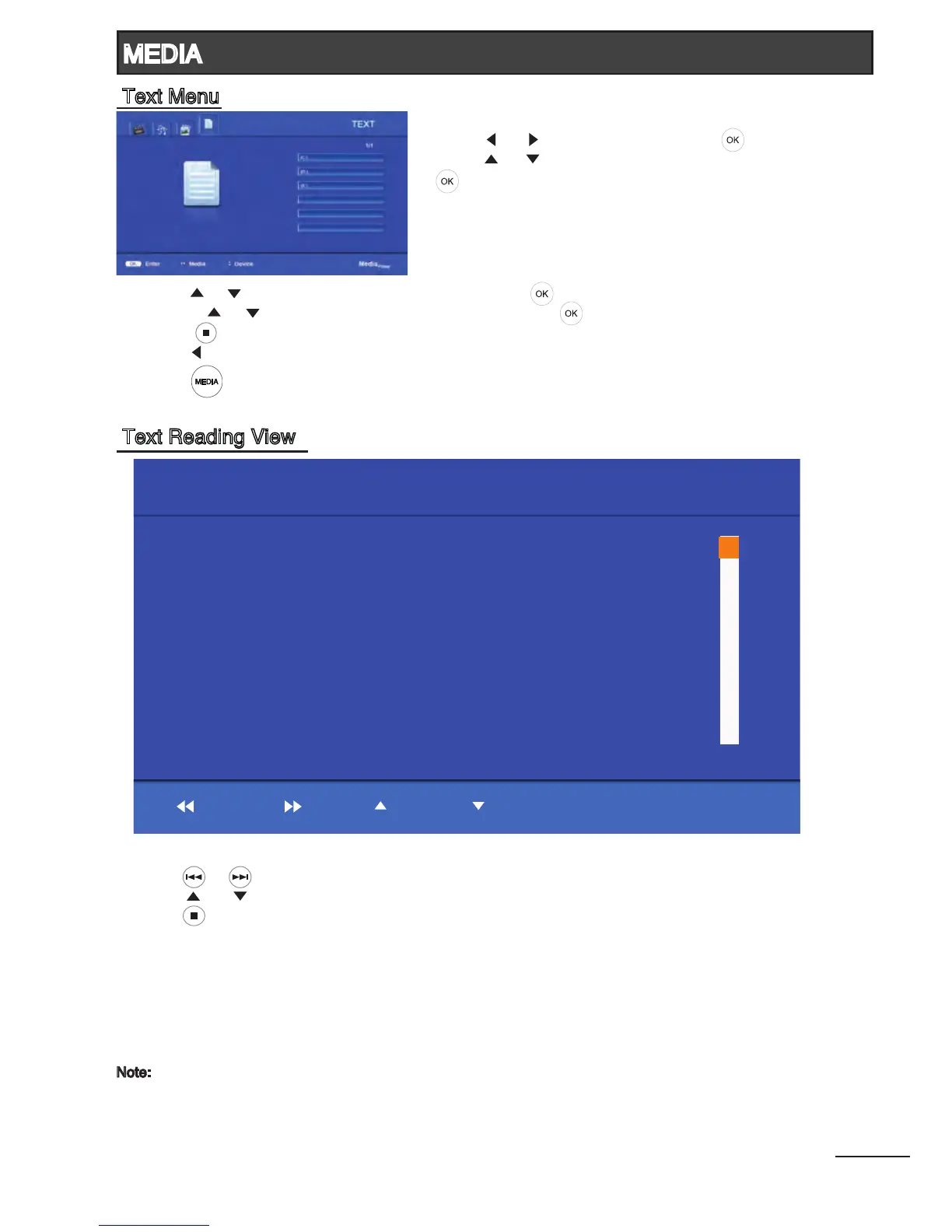
1. Press [ ] / [ ] to select TEXT. Press [ ] to enter.
2. Press [ ] / [ ] to select the desired drive and press
[ ] to enter.
26
3. Press [ ] / [ ] to select the desired folder and press [ ] to open the folder;
or press [ ] / [ ] to select the desired text le and press [ ] to view it.
4. Press [ ] to return to text list.
5. Press [ ] to return to the previous menu.
6. Press [ ] to return to Media Player main menu.
- Press [ ] / [ ] to view previous or next text le.
- Press [ ] / [ ] to select previous or next page in the text le.
- Press [ ] to exit and return to the previous menu.
Note:
- It supports *.txt les. (English, Simplied Chinese and Traditional Chinese characters)
- Please ensure that the text le is saved in an encoding standard (eg. Unicode). This may
minimize the loss of characters in a multiple-language content.
Previous Next
Page Up
Page Down
Exit
I
I
II
III
[File Name]: Hitachi LED TV.txt
THE NEW HITACHI LED TV COMBINES THE BEST OF LED TECHNOLOGY
TO BRING UNMATCHED VIEWING PLEASURE TO YOUR HOME
The new Hitachi LED TV advances picture quality, design and power
eciency to bring unmatched viewing pleasure to your home.
Hitachi LED Ultra Slim Design
Beautiful designed, the new Hitachi LED TV goes perfectly well with
every modern space. Signicantly lighter and slimmer than CCFL TVs,
its sleek Crystal Cutting Edge design is a welcome addition to any room.
Intelligent Sensor
A smart light sensor, it can automatically adjust the picture according
to the viewing circumstance. So you always get the best images
regardless of room brightness, time of day or room layout.
Lower Power Consumption
Compared to standard CCFL LCD TVs, the new Hitachi LED TV uses
less power.
Cur Pg: 1 Total Pg: 2
TEXT
Media
Player
MEDIA
Text Menu
Text Reading View



 To Next Page