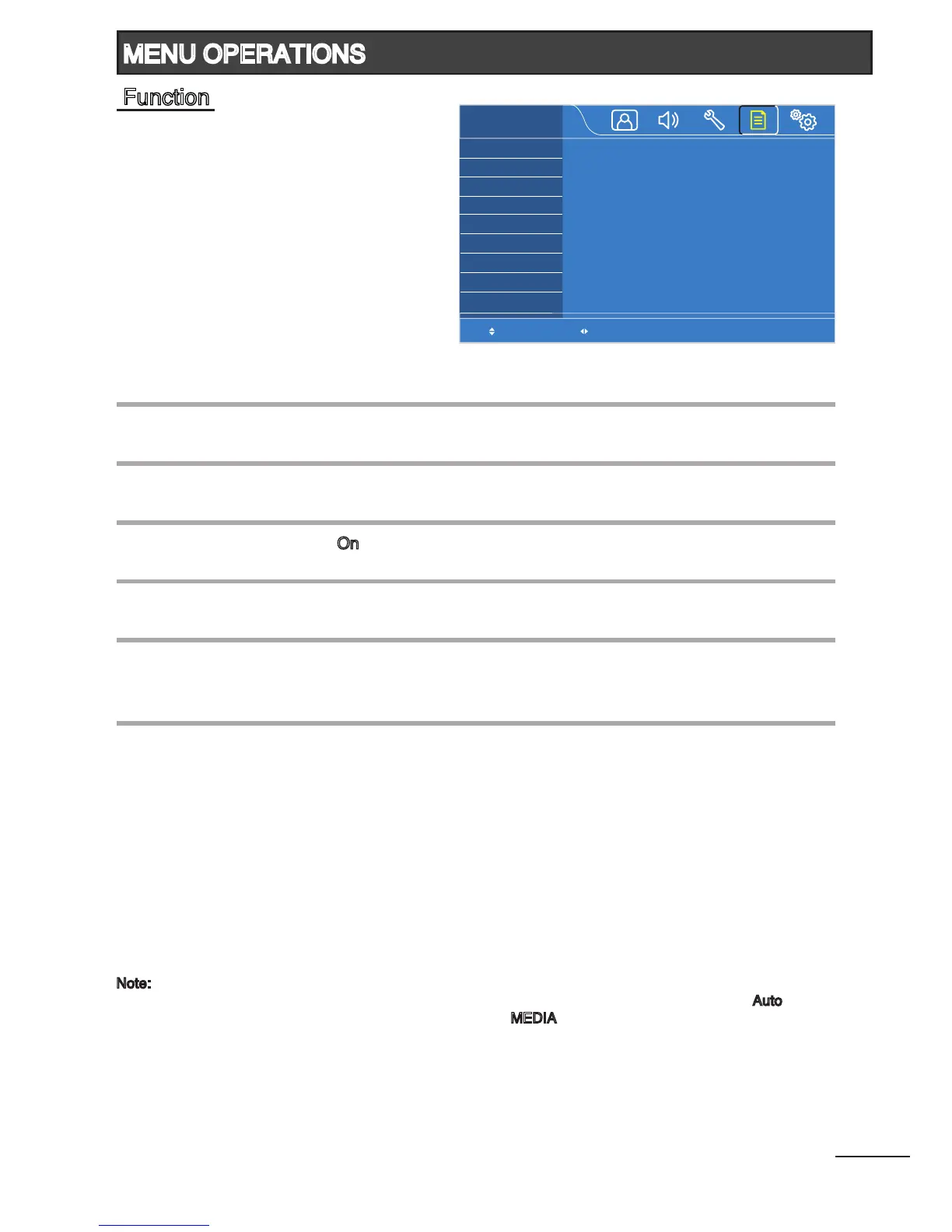
Select the on-screen display language.
(English / Simplied Chinese / Traditional Chinese / Russian / Arabic)
Automatically switch to the input source selected.
(Auto / TV / AV1 / AV2 / HDMI1 / HDMI2 / HDMI3
2
/ HDMI4
2
/ RGB / MEDIA)
Select the switching mode when changing the TV channels.
(Freeze / Standard)
Select “On” to disable the operations of the touch sensors.
(On / Off)
Select the desired Teletext language.
(West Europe / East Europe / Russian / Arabic)
Select the appropriate color system of the VCD/DVD disc to ensure correct
picture display.
(Auto / PAL / NTSC / SECAM)
Language
Startup Source
1
Switch CH Mode
Lock Panel Keys
TXT Language
3
Color System
4
Note:
1
When the TV is switched on, it will automatically switch to the selected input source. Select “Auto”
to show the last input source when the TV turns on. If “
MEDIA” is selected, make sure that the USB
storage device(s) is/are connected to the MEDIA input terminal at the rear of the TV.
2
Available for 42”, 47” and 55” models only.
3
Available in TV mode only.
4
Available in AV1 mode only.
Select Adjust
Language
Startup Source
Switch CH Mode
Lock Panel Keys
TXT Language
Color System
FUNCTION
English
Auto
Freeze
Off
West Europe
Auto
18
MENU OPERATIONS
Function



 To Next Page