Error! Reference source not found.
10-8
10.3.2 SERVICE MENU
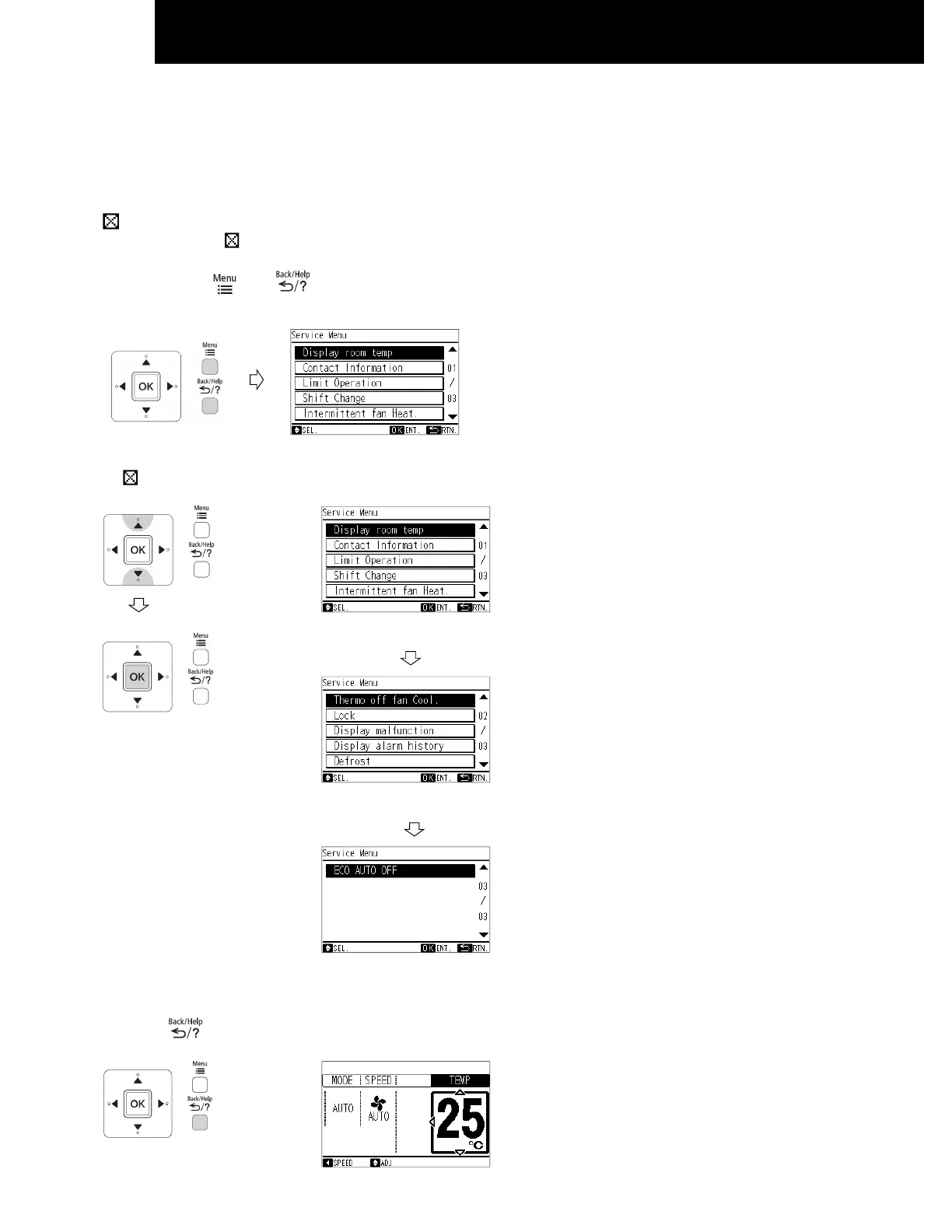
Various setting functions are displayed in the service menu. This procedure shall be implemented strictly by service personnel
only. Refer to the following sections for each function.
NOTE
: Unable to set
If the function with " " is selected from the menu, "Setting Disabled" will be displayed on the lower screen.
1 Press and hold and simultaneously for at least 3 seconds during the normal mode.
The service menu will be displayed.
2 Select the "Service Menu" function by pressing "△" or "▽" and press "OK".
( " " will be displayed if the function is not available.)
Page 1/3
Page 2/3
Page 3/3
3 Press " "(return/help) to return to the normal mode.




 To Next Page