Set Up Sample Racks Wizard Screens
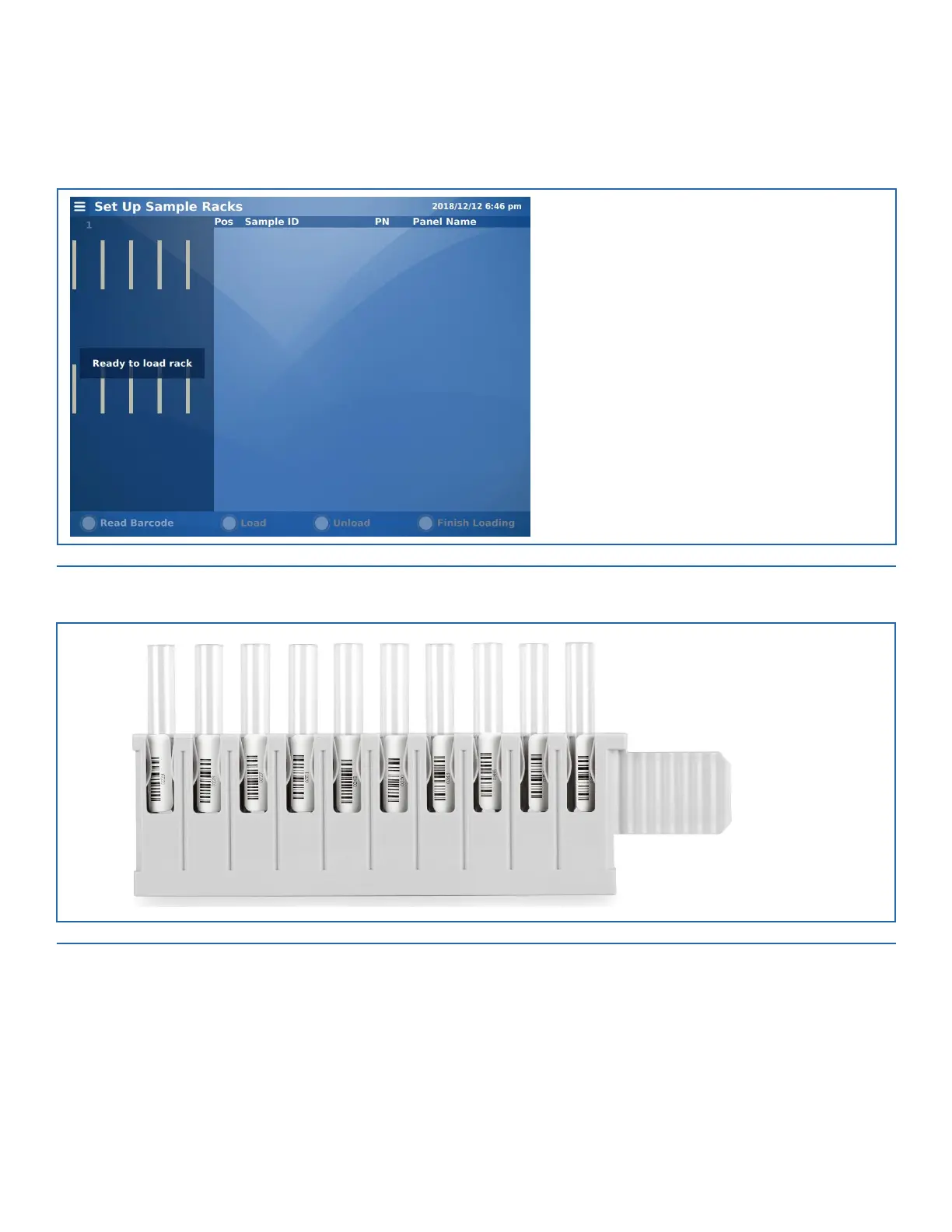
The first wizard screen requests the operator to load the first sample vial rack (of up to ten vials). See Figure 5-4.
FIGURE 5-4. Set Up Sample Racks Screen
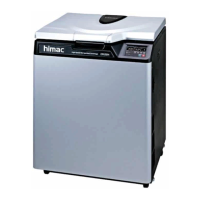
Confirm the sample vials are loaded with sufficient volume and their barcodes face the rack window.
FIGURE 5-5. Sample Vial Rack Window
Slide the rack into the instrument as shown in Figure 5-6.
Note: The sample vial rack does not need to be filled and positions can be skipped in the rack.


 To Next Page