LIS Settings (Admin Only)
1.
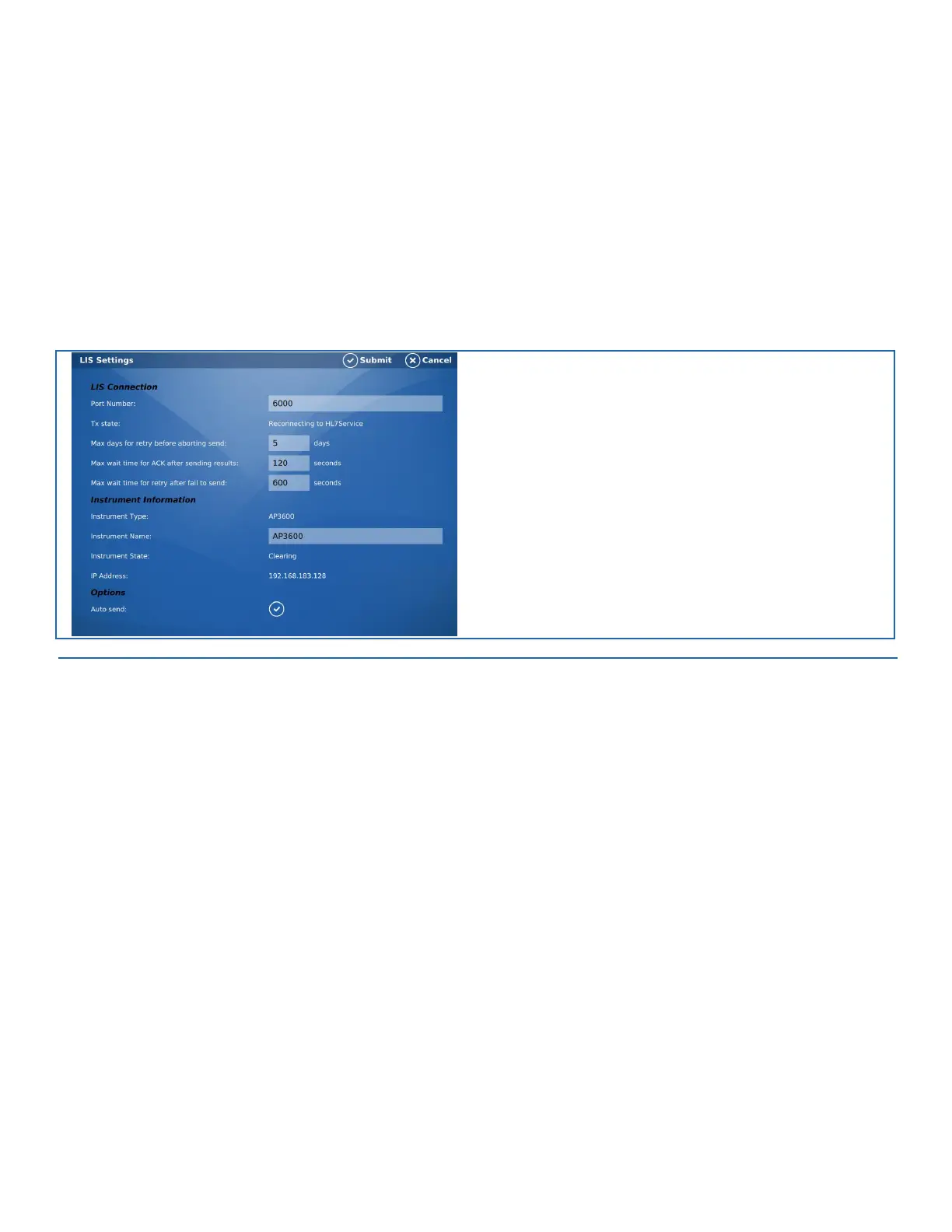
Select this item to modify LIS settings of the AP3600
•
LIS Connection:
•
Port Number: Specify port number of destination LIS
•
Tx State: Indicates current state of the AP3600 LIS connectivity
•
Instrument Information:
•
Instrument Type: Device designation
•
Instrument Name: Specify name of device for destination LIS
•
Instrument State: Indicates current state of the AP3600 instrument
•
IP Address: Indicates current IP address of the AP3600 instrument
•
Options:
•
Auto send: Enable or disable automatic sending of results to LIS
FIGURE 9-6. LIS Settings Screen


 To Next Page