Cleanup and Waste Disposal
1.
Remove and discard all used Pettes from the carousel.
2.
Remove and discard all used sample vials and sample cups.
3.
Empty the transfer tip waste container.
4.
Empty the waste container.
5.
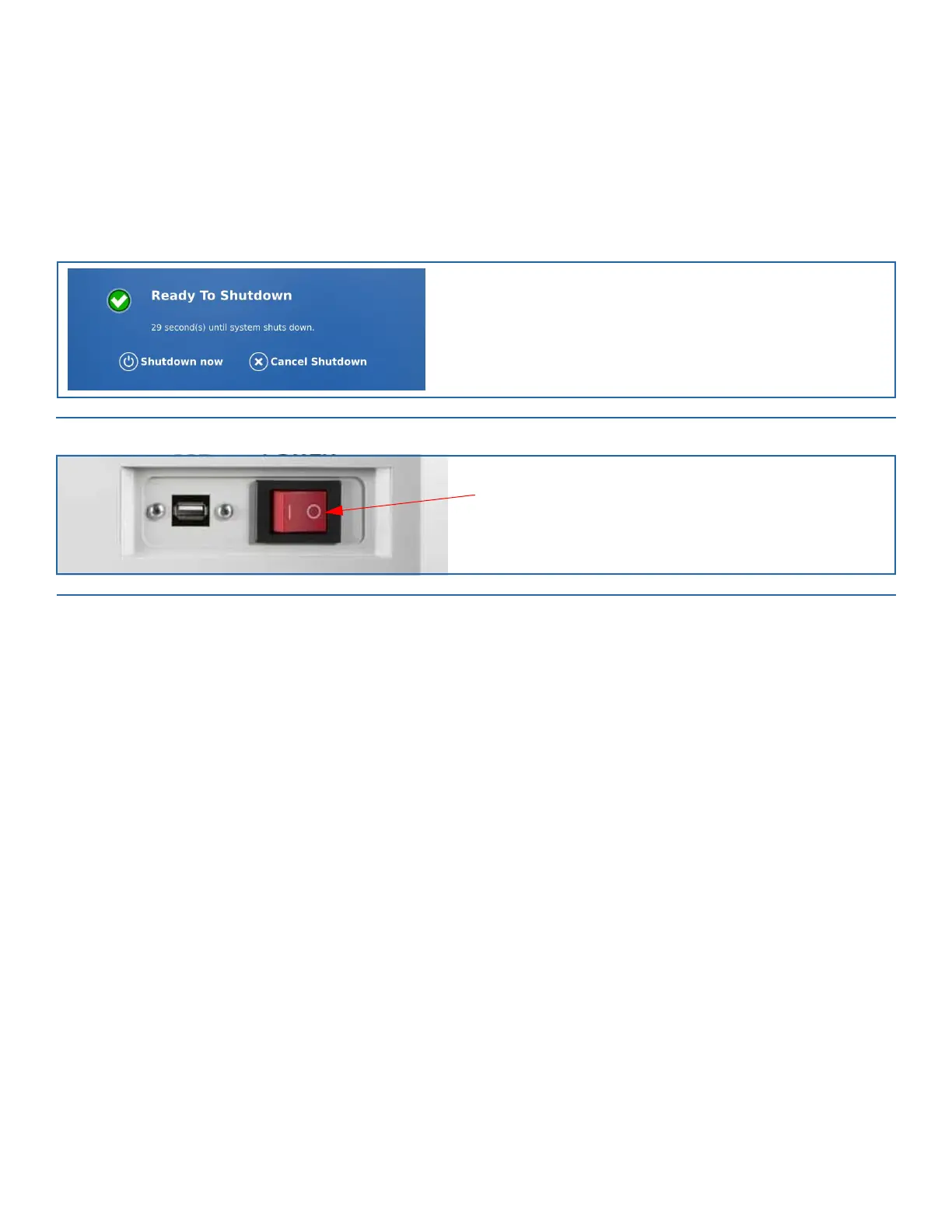
If no other tests will be run at this time, the system can be shut down. Return to the Home screen and select Shutdown. In the win-
dow that appears, select Shutdown now to power down the monitor.
FIGURE 10-5. Shutdown Window
6.
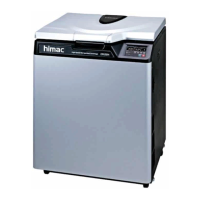
Turn the main power switch of the AP3600 instrument to the OFF position (0).
FIGURE 10-6. AP3600 Main Power Switch
Cleaning the Wash Buffer Bottle
Clean the four liter Wash Buffer bottle weekly with Distilled/DI water. The Wash Buffer bottle is autoclavable.
Cleaning the Waste Bottle
Clean the waste bottle as needed. The waste bottle is autoclavable.
Cleaning the Transfer Tip Waste Container
Clean the Tip Waste Container as needed.


 To Next Page