Maintenance Utility Screen
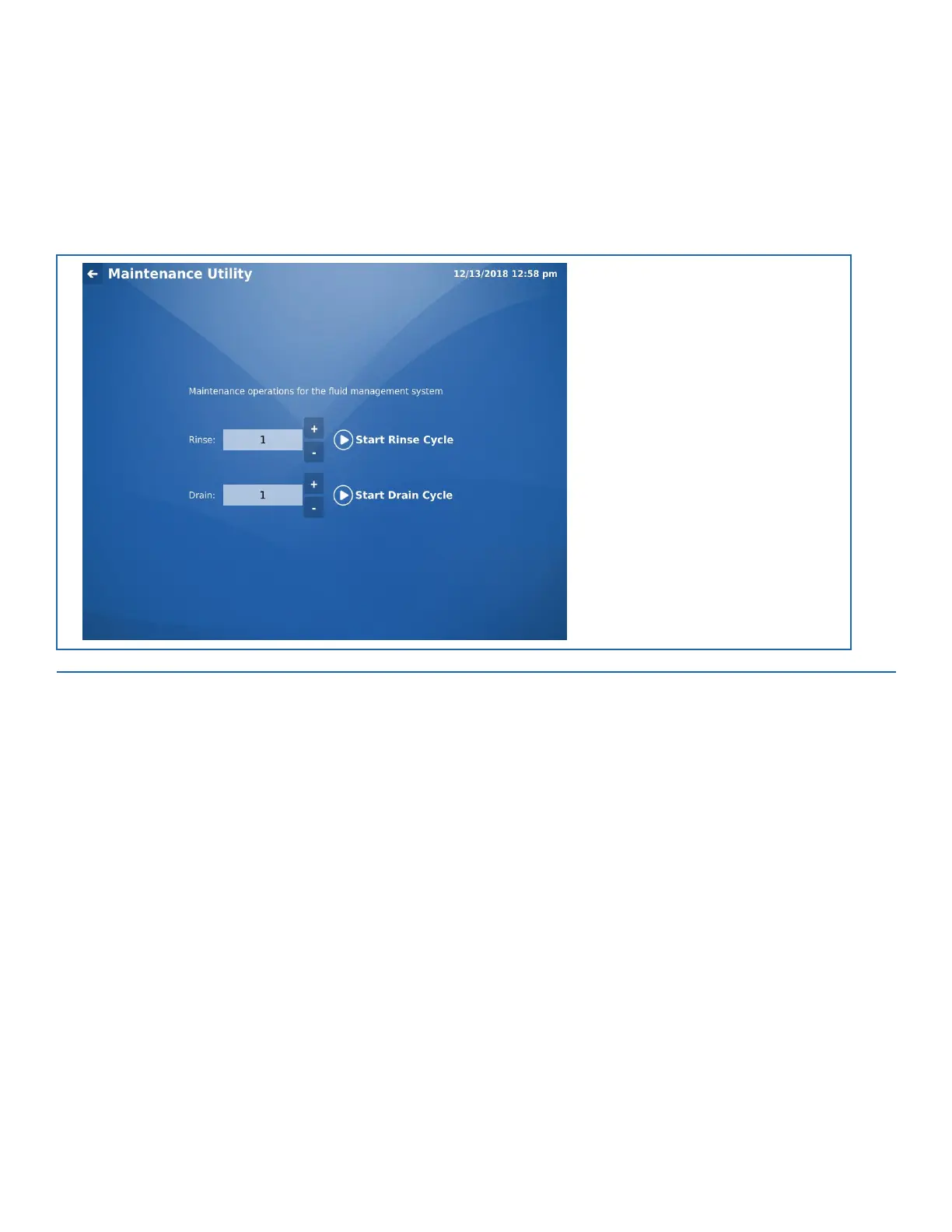
The Maintenance Utility screen allows the operator to configure the number and start AP3600 system rinse and drain cycles.
Click the Rinse or Drain + and - buttons to increase/decrease the number of cycles that will be run.
Note: The system must be flushed after each run is complete.
See “Rinse and Drain” on page 10-1 for details steps on performing a flush operation.
FIGURE 8-5. Maintenance Utility Screen


 To Next Page