Panel Favorite
Using Panel Favorites
1. Option 1: Apply Panel Favorites to all samples at once.
•
After reading the sample barcode, the AP3600 will ask to “Apply Favorites?”.
•
Select Submit to apply panel favorites to all samples.
2. Option 2: Select panels for each sample individually.
•
Select sample.
•
Choose any panel from “Favorite Panels” or “Available Panels”.
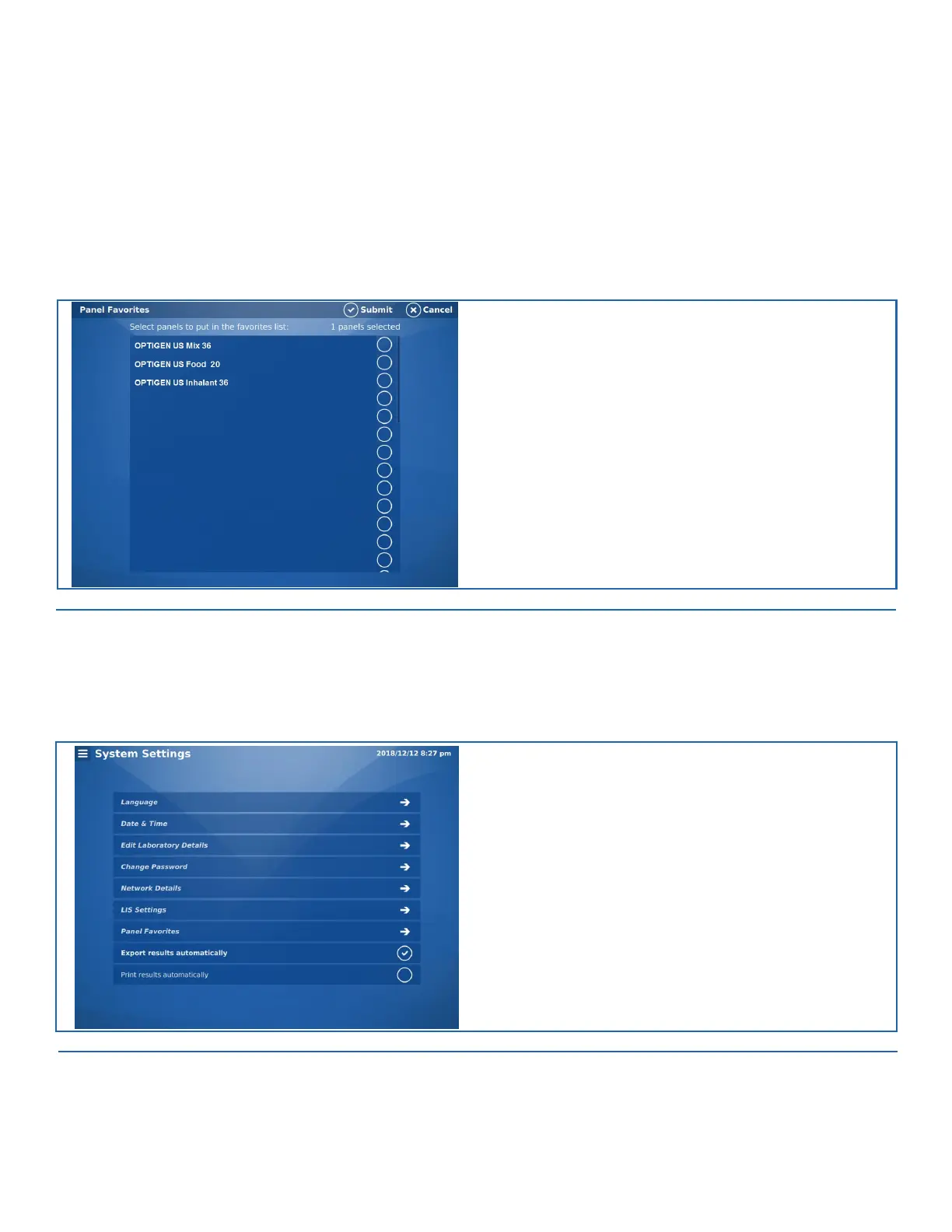
FIGURE 9-7. Panel Favorites Screen
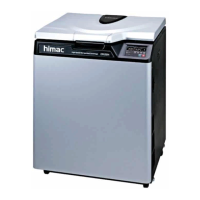
Export Results Automatically (Admin Only)
Check the Export Results Automatically option to have all results automatically printed.
FIGURE 9-8. System Setting Screen


 To Next Page