Assigning Test Panels
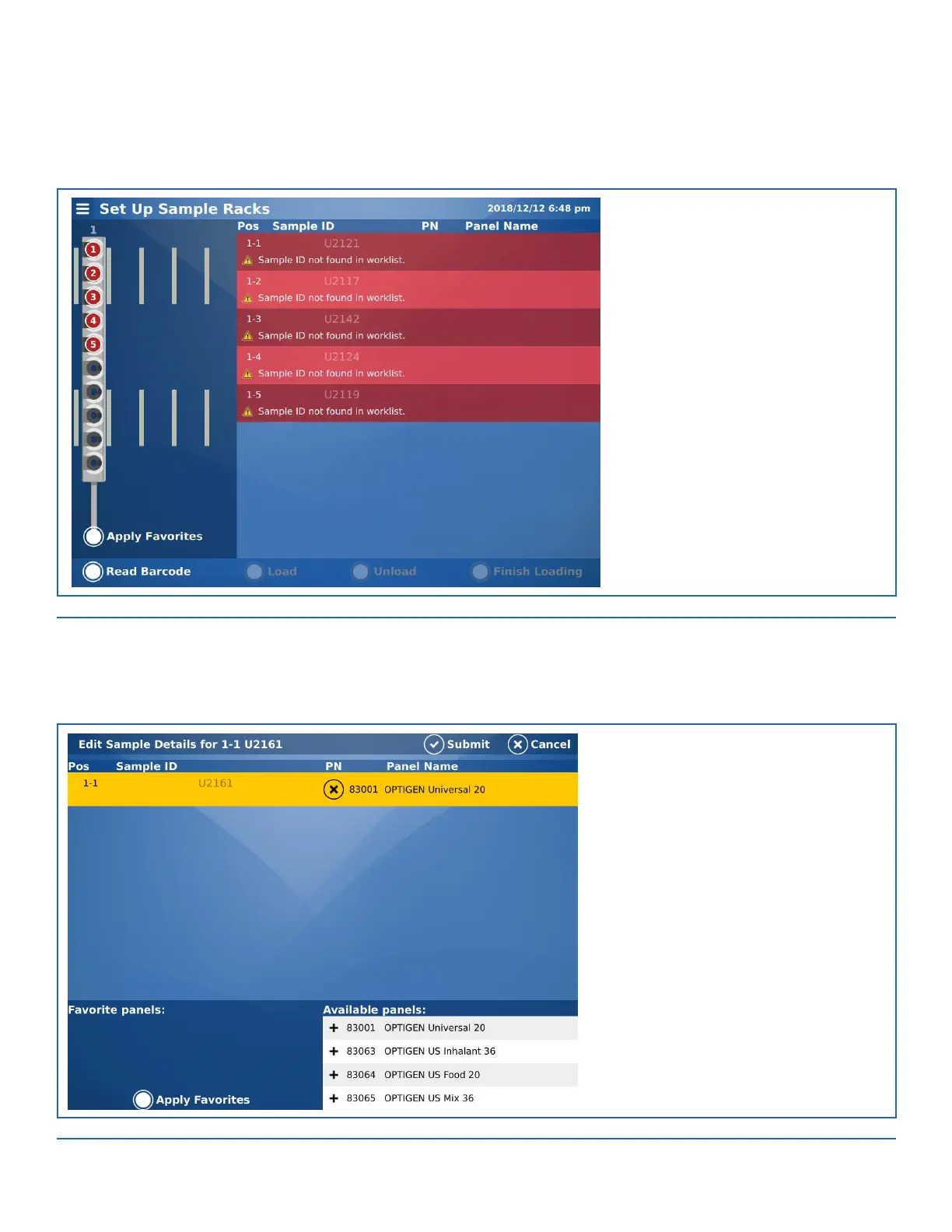
The next wizard screen displays the assigned Pette. The Pette test panels must be assigned to each sample at this time.
FIGURE 5-8. Samples with no Assigned Panels
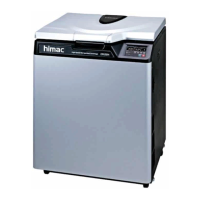
Press the field for the Sample ID(s) missing Panel assignments (displayed in dark/light red cells). The Edit Sample Details screen opens.
Select the desired panel(s) that will be used with the patient sera from the Available panels: list at the bottom of the screen
(For additional information on Favorite Panels, please refer to section 9-System Settings). See Figure 5-9.
FIGURE 5-9. Assigning a Panel to the Sample


 To Next Page