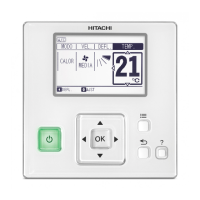
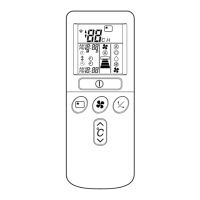
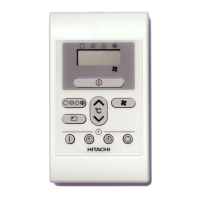
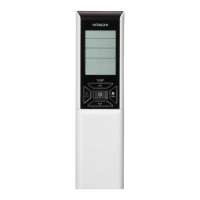
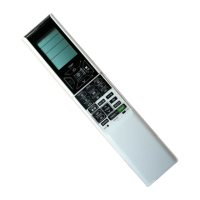
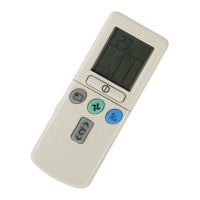
This document outlines the operation and maintenance of the Hitachi Wired Remote Controller, model SPX-WKT2, designed to manage air conditioning units. The manual provides comprehensive instructions in multiple languages, including English, Russian, Finnish, Dutch, Swedish, Greek, Portuguese, Spanish, Italian, French, and German, ensuring broad accessibility for users.
Function Description
The Hitachi Wired Remote Controller serves as the primary interface for controlling various functions of a connected air conditioning unit. It allows users to adjust settings such as room temperature, operation mode (e.g., Auto, Cool, Heat, Dry, Fan), fan speed, and swing direction. The controller features a clear LCD display that shows current settings, operational status, and any relevant indicators or error codes.
Key operational modes include:
- Operation Start/Stop: Initiates or terminates the air conditioning unit's operation.
- Basic Operation: Allows selection of fundamental settings like operation mode, fan speed, and temperature.
- Room Temperature Setting: Users can precisely set the desired room temperature within a specified range.
- Fan Speed Select: Offers various fan speed options (e.g., Auto, Low, Medium, High) to control airflow.
- Auto Swing Operation: Activates or deactivates the automatic movement of the air conditioner's deflectors for even air distribution.
- Simple Timer Operation: Enables basic on/off scheduling for the unit.
- Sleep Timer Operation: Sets a timer for the unit to operate during sleep, often with gradual temperature adjustments for comfort.
- Weekly Timer Operation: Allows for detailed, recurring schedules to be set for each day of the week, including multiple on/off times and temperature settings. This feature also includes options to copy and paste schedules, delete entries, and set holiday schedules.
- Leave Home Operation: Designed for energy saving when the premises are unoccupied for an extended period, maintaining a minimum temperature to prevent extreme conditions.
- Powerful Operation: Boosts the unit's performance for rapid cooling or heating.
- Info Function: Displays information such as heating and cooling power consumption for current and past periods.
- Filter Sign Reset: Resets the filter cleaning indicator after maintenance.
- Clean Operation: Initiates a self-cleaning cycle for the indoor heat exchanger to prevent mold and odors.
- Operation Lock: Prevents unauthorized changes to settings by locking the controller.
- Daylight Saving Time: Adjusts the clock forward or backward by one hour to accommodate daylight saving changes.
- Eco Operation: An energy-saving function that automatically adjusts the set temperature and limits power consumption. Some models include a sensor that detects human presence, further optimizing energy use by shifting temperature when no one is detected.
Usage Features
The remote controller is designed for intuitive use, featuring a clear LCD screen and a set of tactile buttons.
- Display Part: The main LCD area shows all current settings, indicators, and menu options.
- Operation Indicator Lamp: A light that indicates the unit's operational status and flashes for fault conditions.
- On/Off Button: The primary power button for the air conditioner.
- Menu Button: Accesses the main menu for advanced settings and functions.
- OK Button: Confirms selections and enters sub-menus.
- Cross Button (Up, Down, Left, Right): Used for navigating through menus and adjusting values.
- Return/Help Button: Returns to the previous screen or displays help information.
- Start/Stop Button: Initiates or terminates specific operations or timers.
- Eco Button: Activates the energy-saving Eco mode.
The menu structure is hierarchical, allowing users to delve into specific settings. For instance, the "Remocon Settings" menu contains options for adjusting date/time, screen display, language, daylight saving time, and thermistor selection. The controller provides visual feedback, such as icons on the LCD, to confirm activated functions (e.g., "ECO" for Eco mode, "FLTR" for filter sign, "LOCK" for operation lock).
Maintenance Features
The manual emphasizes safety precautions and provides guidance for troubleshooting minor issues.
- Safety Precautions: Detailed warnings and cautions are provided to ensure safe operation and prevent damage or injury. These include instructions on proper installation, handling of the remote controller, and actions to take during abnormal situations (e.g., burning smell, electrical shock).
- Alarm Code Display: In case of an abnormal condition or communication failure, the operation indicator flashes red, and an alarm code is displayed on the LCD. The manual advises users to turn off the breaker and restart the unit, and to contact a service agent if the issue persists.
- Filter Sign Reset: The controller reminds users when the air filter needs cleaning by displaying the "FLTR" indicator. After cleaning, users can reset this sign through the menu.
- Clean Operation: This function helps maintain the indoor unit's cleanliness by performing a self-cleaning cycle, which is crucial for preventing mold growth and maintaining air quality.
- Thermistor Selection: The controller allows for selection of the thermistor used for temperature sensing (remote controller or indoor unit). If either thermistor malfunctions, a message will be displayed, indicating a need for service. At least one working thermistor is required for normal operation.
- Help Menu: An integrated help menu provides explanations for LCD indicators and operation methods, assisting users in understanding and resolving common issues without external assistance. This includes information on "About Indication," "About Operation," and "Contact Information."
- Contact Information: The controller can display contact information for service and the latest alarm codes, facilitating quick access to support when needed.
Overall, the Hitachi Wired Remote Controller is a sophisticated yet user-friendly device designed to provide comprehensive control and maintenance insights for air conditioning systems, ensuring comfort, energy efficiency, and operational reliability.

 Need help?
 General

 To Next Page