18 19
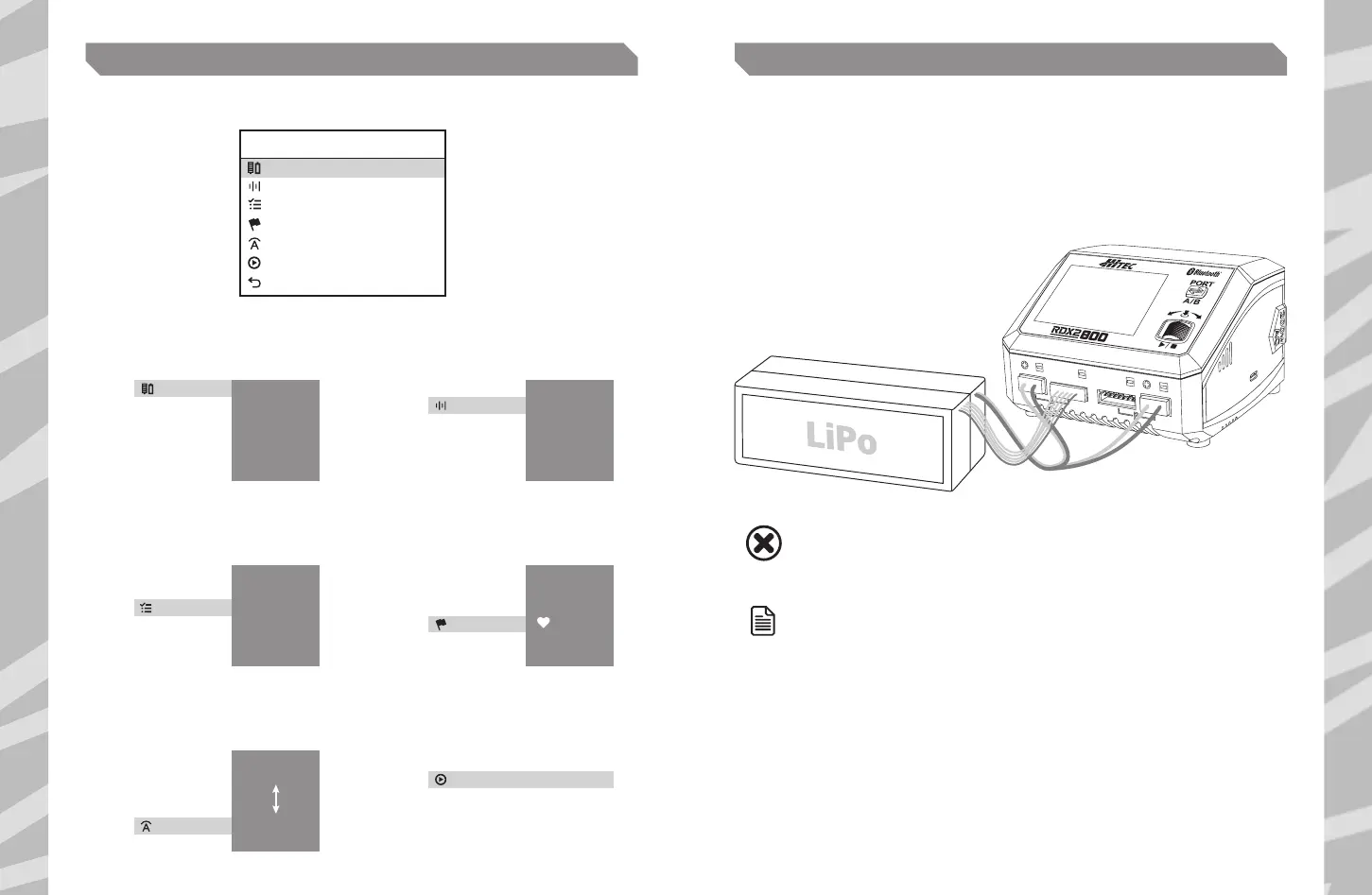
From the main menu, press the scroll button to enter the Charger’s settings.
LITHIUM PROGRAM (LiPo/LiFe/Lilo/LiHV) PARALLEL CHARGING (LiPo/LiFe/Lilo/LiHV)
Battery Type
Condition
Battery Cell
Task
Start
Back
CHARGE SETTING
LiPo
4.2V
6S(22.2V)
Balance CHG
CH A
Current 10.0A
1 2
Using the scroll wheel, select the
type of battery connected.
Using the scroll wheel, select the
cell count of the battery connected.
Press scroll wheel
to confirm.
Press scroll wheel
to confirm.
Battery Type
LiPo
Lilo
LiFe
LiHV
NiMH
NiCd
Battery Cell
1S (3.7V)
2S (7.4V)
3S (11.1V)
4S (14.8V)
5S (18.5V)
6S (22.2V)
3
Using the scroll wheel, select the charge
mode. LiPo Balance is recommended.
Press scroll wheel
to confirm.
Task
Balance CHG
Charge
Storage
Discharge
4
Using the scroll wheel, select the end voltage.
The default is 4.20V, recommended to skip.
Press scroll wheel
to confirm.
Condition
4.18V
4.19V
4.19V
4.20V
4.21V
4.22V
5 6
Using the scroll wheel, select the charge
current. 1C charge rate is recommended.
Using the scroll wheel, select Start
and press to initiate the charge
process using the selected settings.
(IE 500mAh = 5.0A)
Press scroll wheel
to confirm.
Press the scroll button again to stop the
charge process and return to settings.
Current
0.1A
20.0A
0.2A
19.9A
Start
The Parallel mode is available only for lithium batteries.
To avoid short circuits, always connect the charge leads to the charger first,
and then to the battery. Reverse the Sequence when disconnecting the pack.
1. Select the correct battery type (LiPo/LiFe/LiIon/LiHV)
2. Select the option of Parallel Charge
3. Select the charging current (20.0–35.0A)
4. Start the program after setting up
NOTE
WHEN USING A SINGLE PORT, CHARGING POWER IS 200W;
WITH DUAL PORTS, CHARGING POWER IS DISTRIBUTED.
ENSURE THAT AC AND DC POWER IS NOT CONNECTED SIMULTANEOUSLY.
DO NOT CONNECT THE BATTERY BEFORE TURNING ON THE CHARGER.
WARNING


 To Next Page