24 25
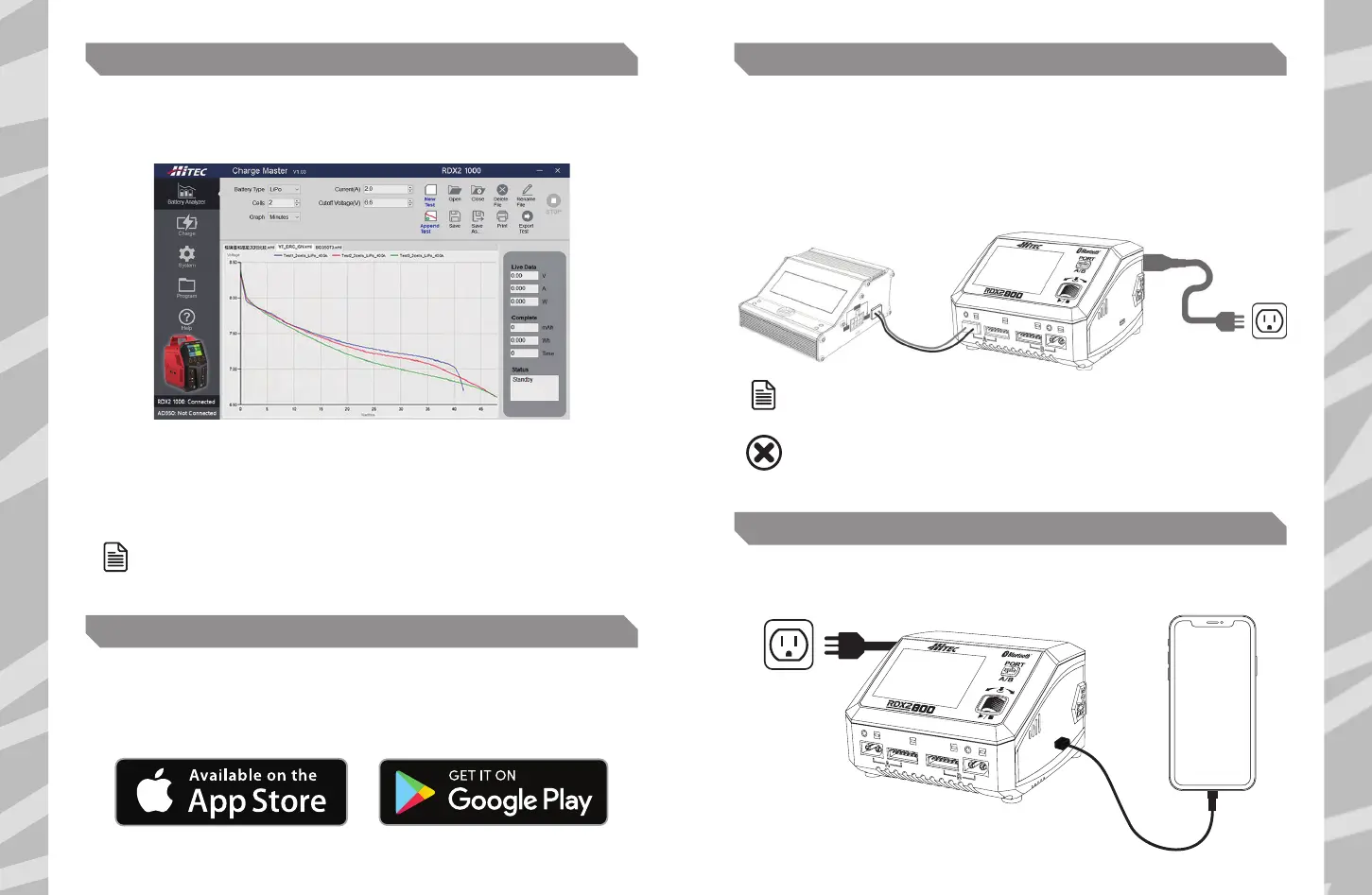
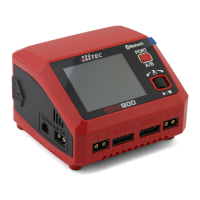
The RDX2 800 is capable of analyzing the battery performance with the AD350 Discharger connected.
1. Launch the Charge Manager and select Battery Analyzer on the top left.
The RDX2 800 is capable of charging your mobile devices in addition to batteries. Simply plug your
device into the charger's USB Type-C port and enjoy up to 20W of charging power!
2. Specify the battery type, discharge current, cut-o voltage, and other parameters.
3. Click New Test to start the testing after setting up.
4. When the first test completes, click Append Test to start the second test.
The third and further tests follow suit.
BATTERY ANALYZER
HITEC LINKPOWER X
DC POWER
USB TYPE-C PD/QC3.0 OUTPUT
NOTE
UP TO TEN GROUPS OF TEST DATA ARE VISUALIZED AS CURVES,
WHICH ARE CLEAR AT A GLANCE FOR USERS.
NOTE
ON THE DC POWER INTERFACE, PRESS THE PORT BUTTON
TO TOGGLE BETWEEN A/B PORTS.
PLEASE MAKE SURE THERE IS NOTHING CONNECTED TO THE PORT
BEFORE SELECTING THIS SETTING.
WARNING
The charger has a built-in Bluetooth 5.0 module, allowing users to easily control the RDX2 800
charger analyze the battery through the Hitec LinkPower X app. Even when you are racing outside,
you can test and check the battery performance and curve anytime and anywhere.
The RDX2 800 is capable of powering external DC devices.
1. On the main interface, hold the ENTER button for a few seconds to enter the system setting.
2. Select the option of DC Power, then adjust the output voltage and current.
3. Press Start to activate the power function after setting up.
4. Connect your desired DC equipment.


 To Next Page