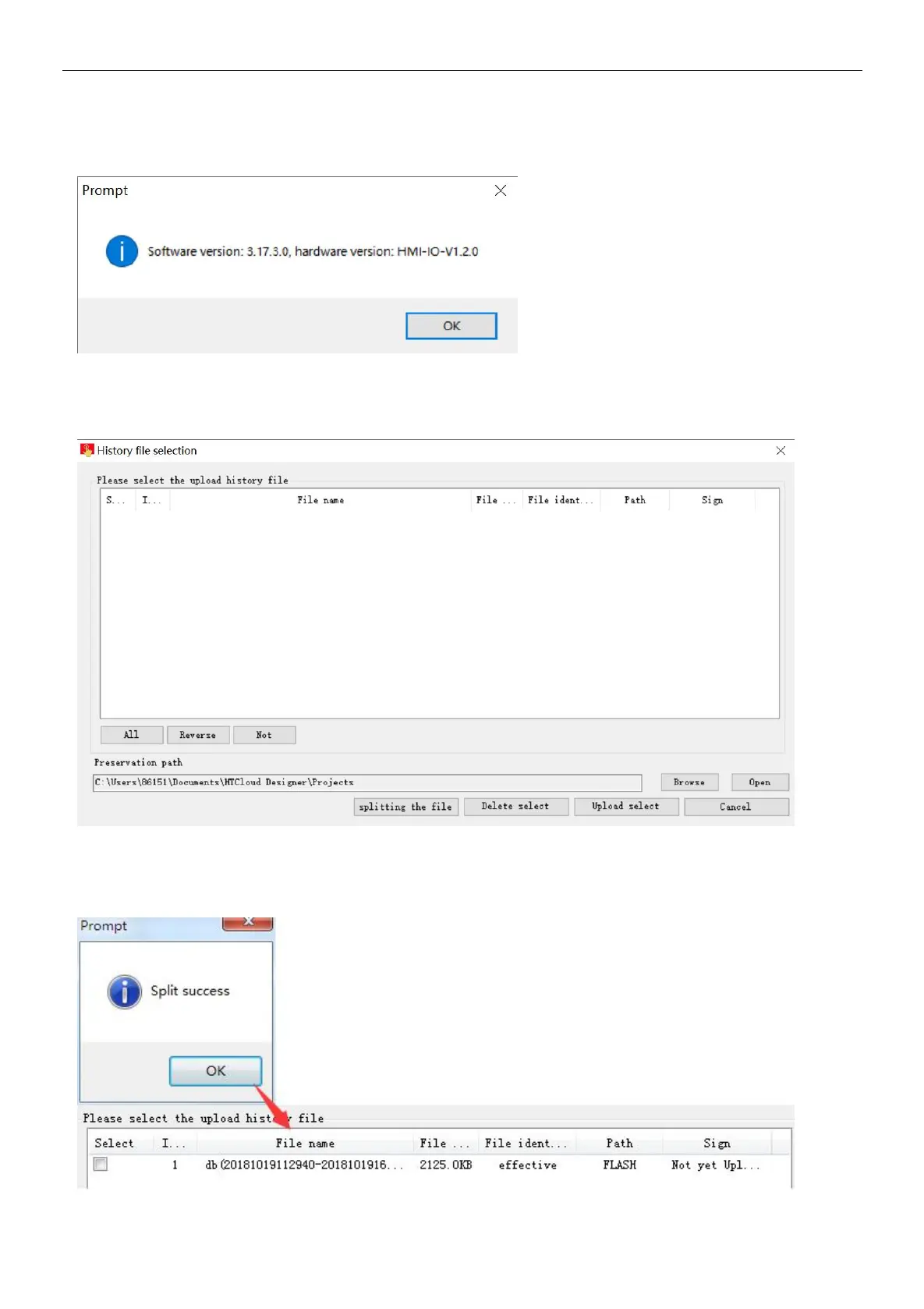
Check the device version
Click[Get version], can to view the current version information of software and hardware of device.
Upload the history record
Click [ upload the history record],enter the upload interface of history record.
①
split history file
Step 1: click [start split file], you can split historical files for the recent period of time.
Step 2: waiting split the historical record to complete, pop-up prompt [ split success], click [OK], historical file list will add current
split historical files.


 To Next Page