c. Settings
Settings
① Set the terminal name
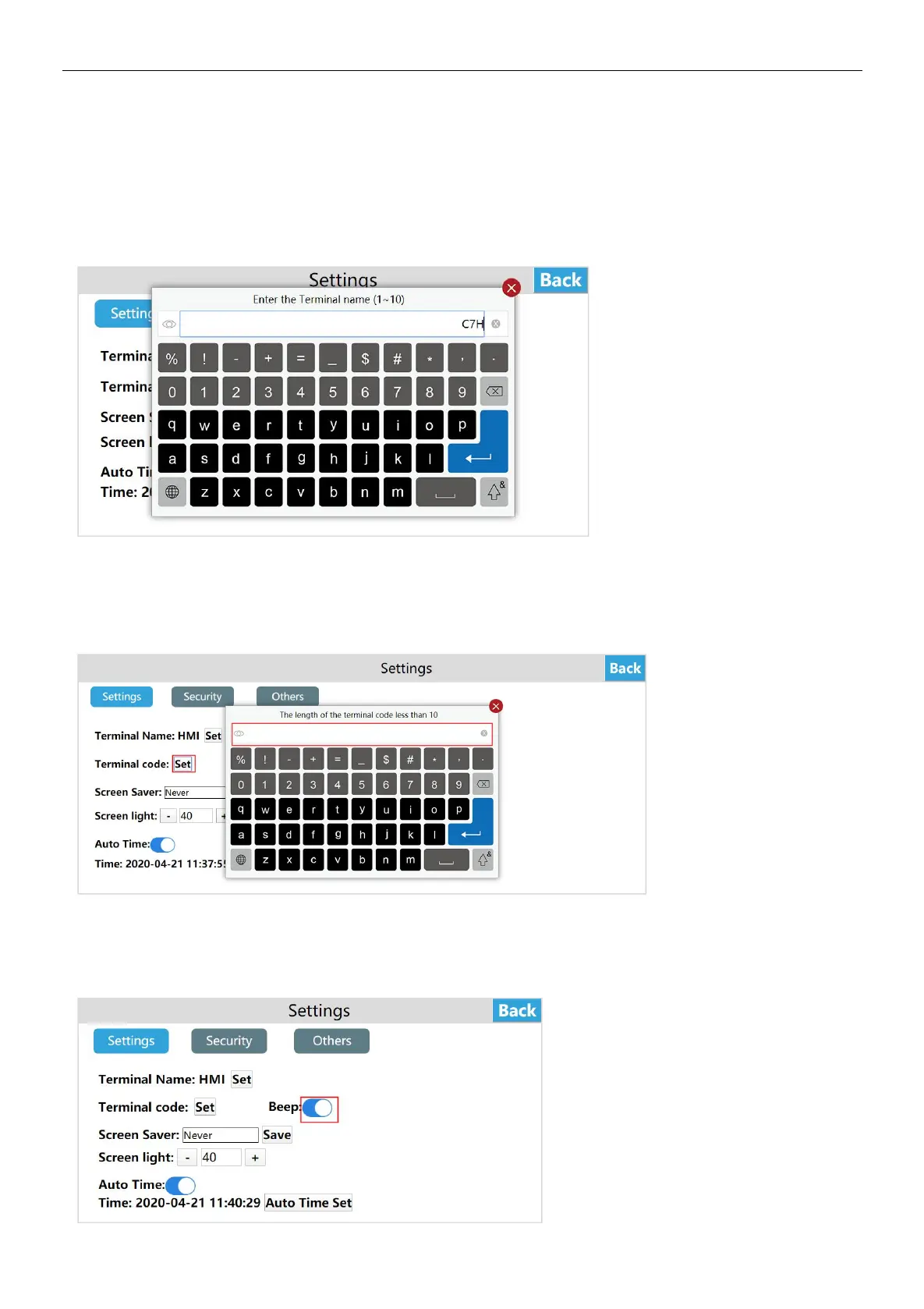
Enter the HMI background settings interface, click [Settings], in the [Settings] interface, you can see the [terminal name], click
[Set], enter the new terminal name, click Enter on the keyboard Name. Terminal name: device name, terminal code: device
number.
Note: The length of the terminal name is 1 ~ 10 characters.
② Set terminal code
Enter the HMI background settings interface, click [Settings], in the [Settings] interface, you can see [Terminal code], click [Set],
enter the new terminal code, and click Enter on the keyboard.
③ Set buzzer switch
Enter the HMI background settings interface, click [Settings], in the [Settings] interface, you can see [Beep], turn on [Beep],
when the user clicks the button, the buzzer will respond sound. Conversely, when the user clicks the button, there is no sound.


 To Next Page