4. Background settings
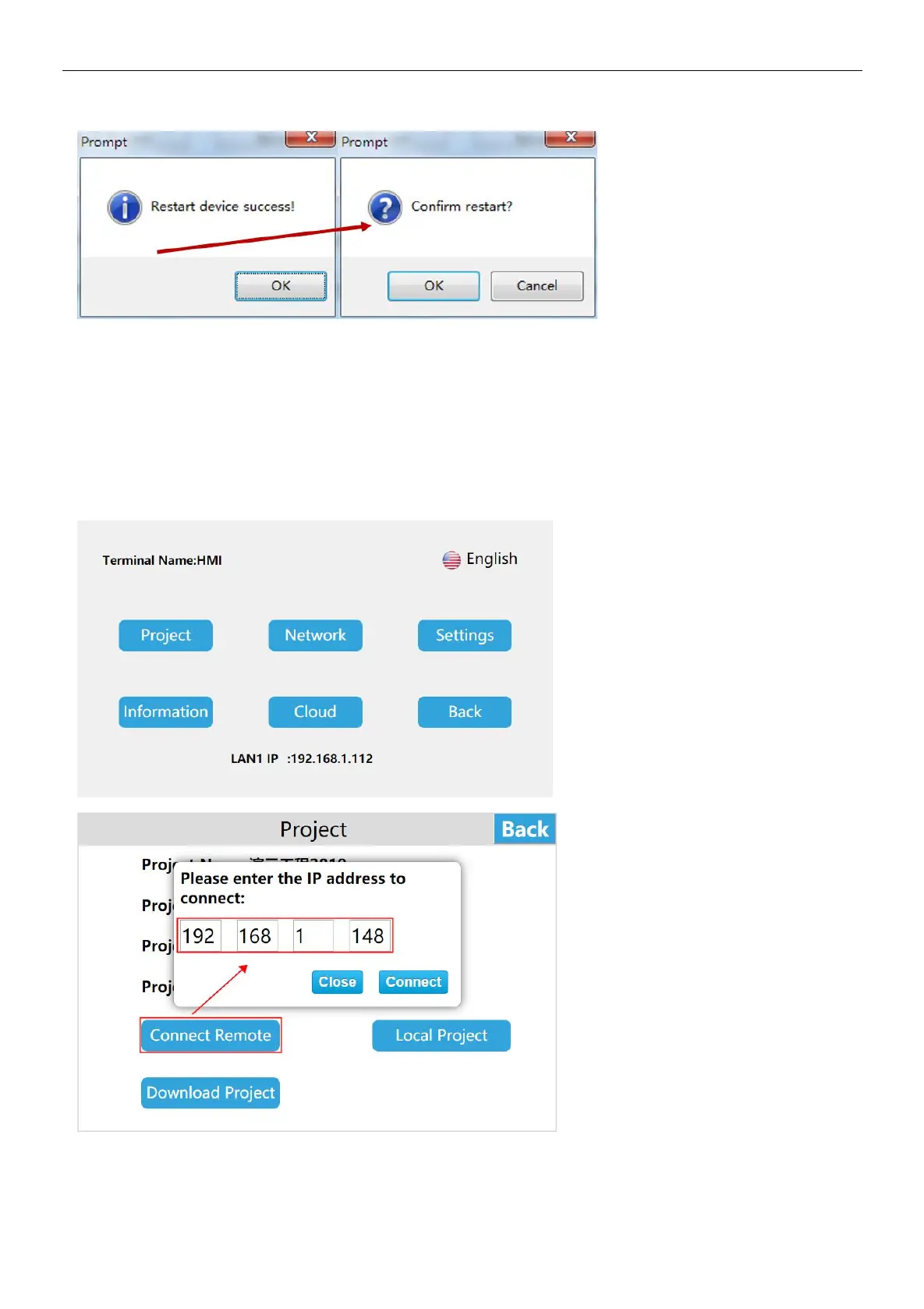
Long press the upper right corner of the HMI device to enter the background settings interface, or access the HMI through a
browser, enter IP / setting to enter the background settings interface
a. Project Settings
Connect Network Engineering
Enter the HT3000-10 background settings interface, click [Project], click [Connect Remote],enter the IP of the HMI in the LAN to
be connected to for remote access between HMIs
Download project
Step 1: Create a project, click [Project] in the HTCloud Designer menu bar, expand the tab, and click [Generate U Disk or SD
Card run file];


 To Next Page