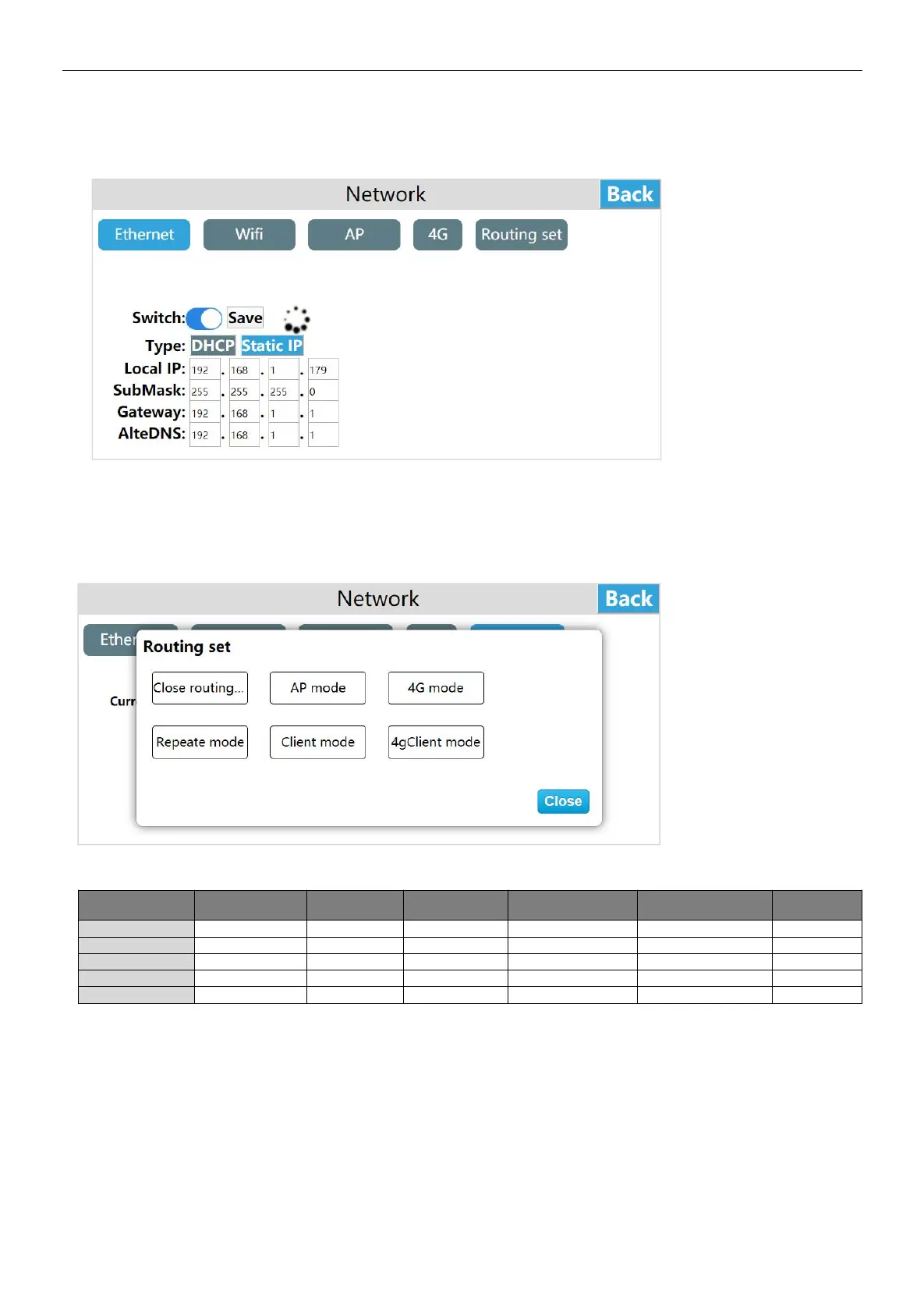
The routing modes include:close routing / AP point mode / 4G routing mode / client mode / The repeater mode / 4G client
mode, the specific use of each routing mode will be described below.
Routing configuration
The routing modes include:close routing / AP point mode / 4G routing mode / The repeater mode / client mode/ 4G client mode,
the default is "Close routing"
Comparison of various routing modes and network types:
Close routing
(Routing switch)
Close routing mode
Enter the HMI background settings interface, click [Network], enter the route configuration interface, click "Settings", click
"Close routing", a prompt "This mode will will close the route, confirm the routing mode is closed" Click "OK", it is set to close
routing
"Close routing" mode, only turn off the Ethernet, WI-FI, 4G routing function. The hot spots open in this mode only support LAN
networks, and do not support Internet access. The function settings of Ethernet, WIIF and 4G remain unchanged.


 To Next Page