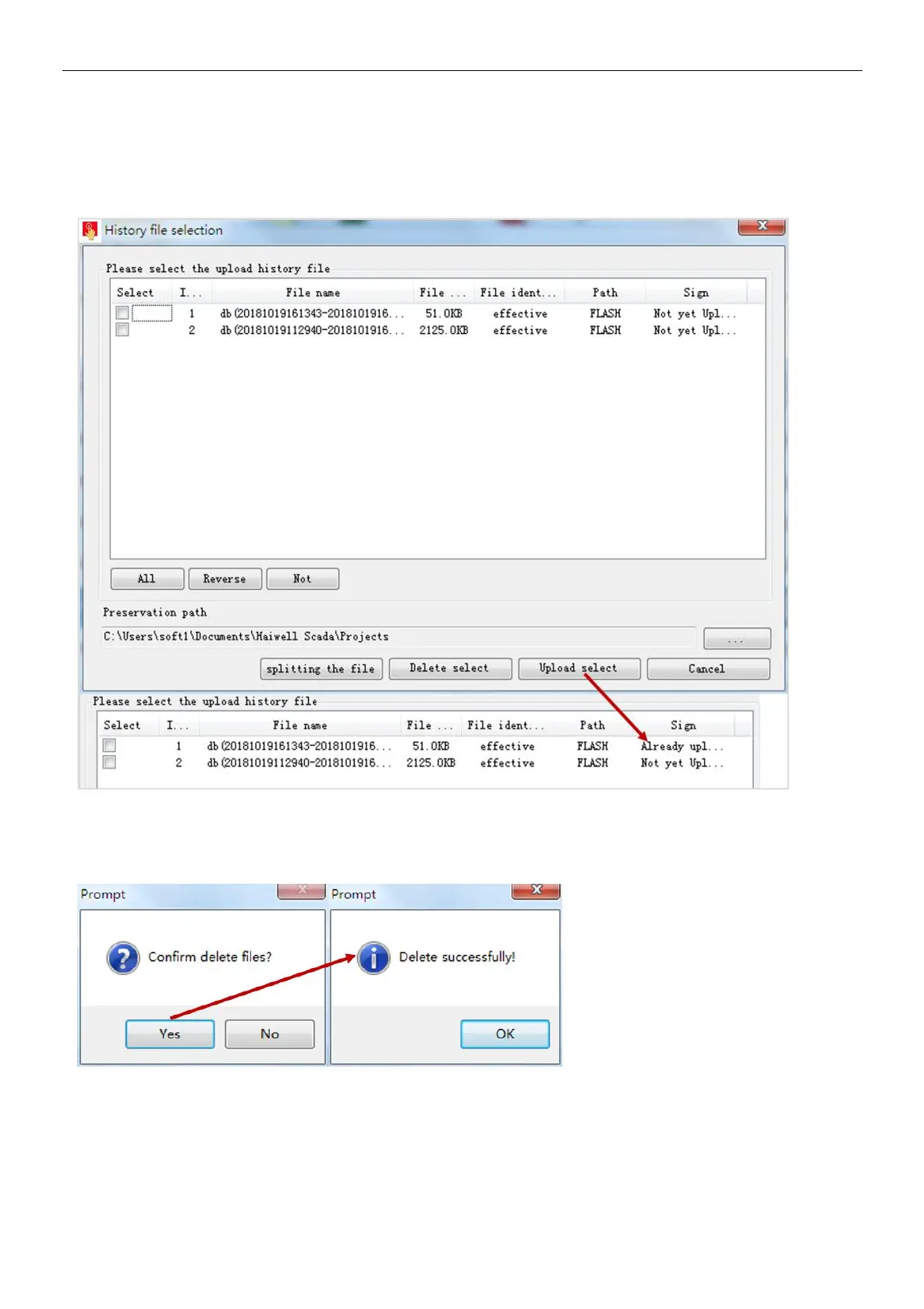
②upload historical file
Step 1: select historical file in historical file list, input historical file storage. Path, click [ upload select file ];
Step 2: waiting for upload the historical file to complete, pop-up prompt " upload the historical record success", click [OK].
When upload to complete, current historical file will remark "have uploaded".
③ Delete history file
Step 1: Select the history file in the history file list and click [Delete Select File]
Step 2: Pop up the Confirm Delete File prompt box and click [Yes];
Step 3: Wait for the history file to be deleted successfully. The "Delete Successful!" prompt box will pop up, click [OK].
Restart the device
Step 1: Click [Restart Device], pop-up confirmation restart prompt box click [Yes];
Step 2: Wait for the device to restart. After the restart is successful, the "Device Restart Successful" prompt box is displayed,
and click [OK].


 To Next Page