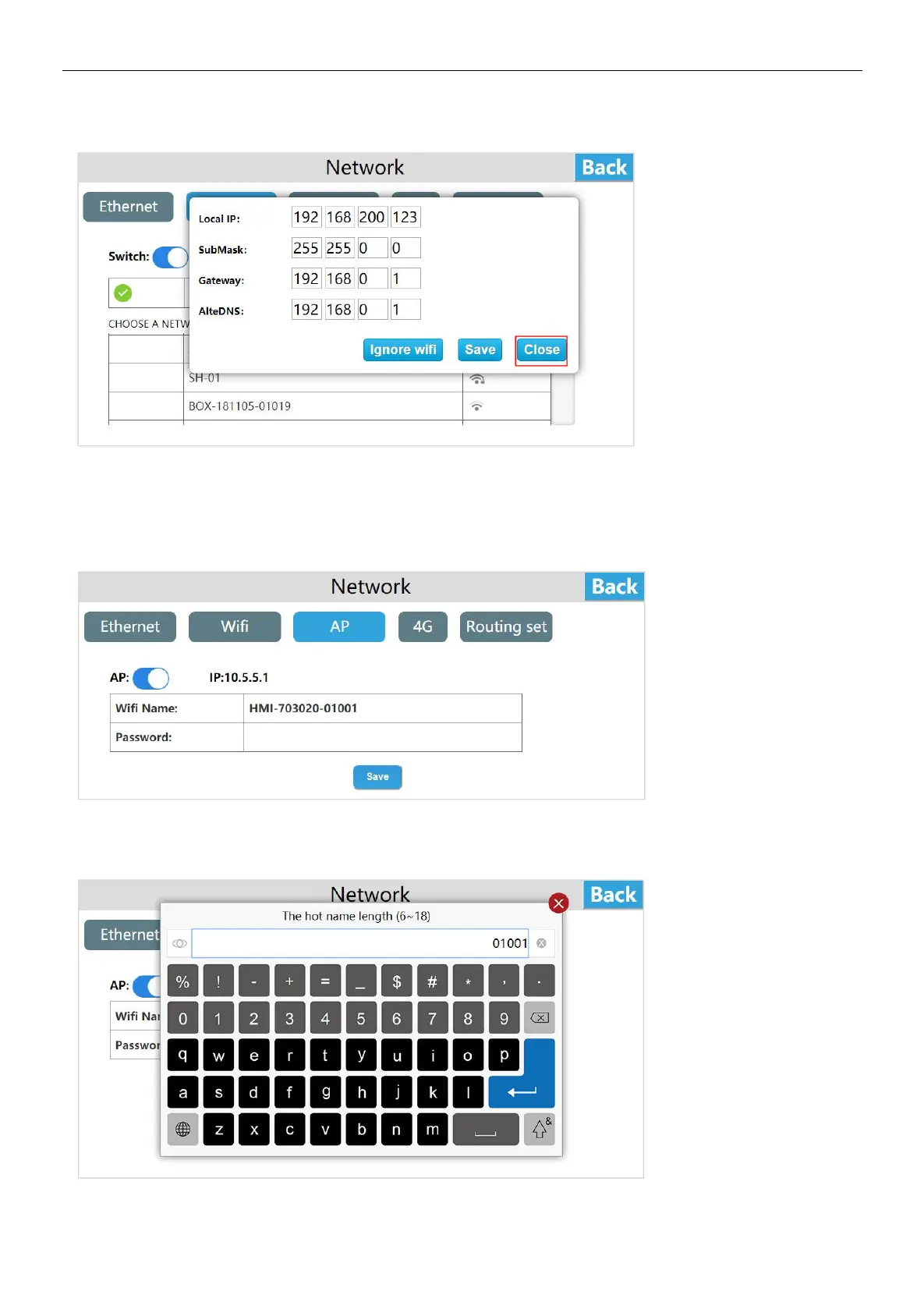
Click the gray i icon and then click [Close] to close the window.
Personal hot spot
Click [AP] to enter the personal hot spot interface, the HMI built-in network card can also be shared to share WI-FI hot spots for
other users. Turn on the personal hot spot switch and set the hot spot name and password to share the WI-FI hot spot for other
users.
Set the hot spot name, click "hot spot name", a hot spot name input box pops up.
Enter the hot spot name, click [Enter], and click [Save] to save the added hot spot name information.


 To Next Page