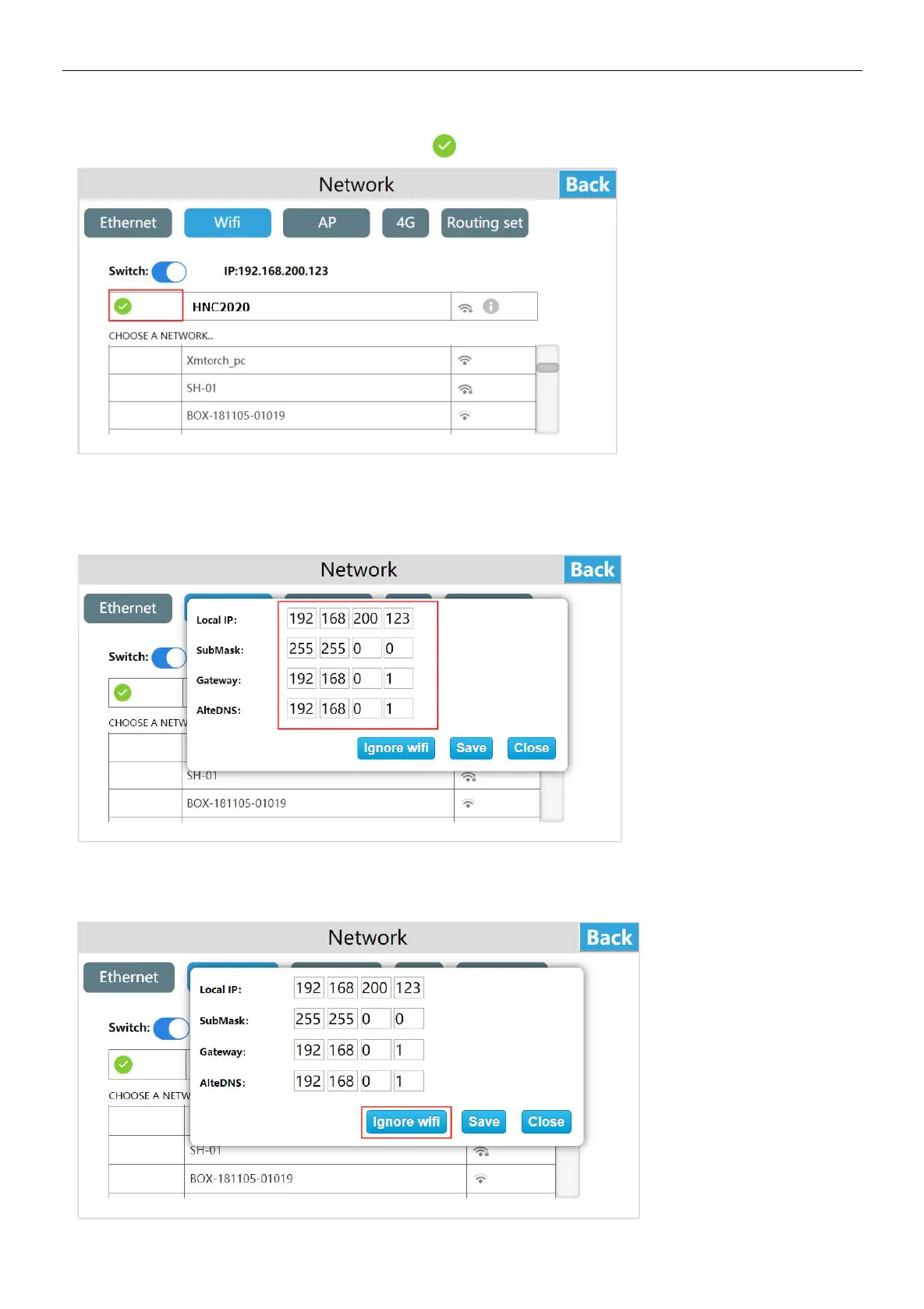
After the connection is successful,display the green tick " ".
After the connection is successful, you can see the gray i "", click the gray i icon can set the IP address, subnet mask, default
gateway, DNS.
After setting, click [Save] to set WI-FI IP address information.
Click the gray i icon and then click "Ignore WI-FI" to disconnect the WI-FI connection. If you want to use the WI-FI, you need to
re-enter the password to connect.


 To Next Page