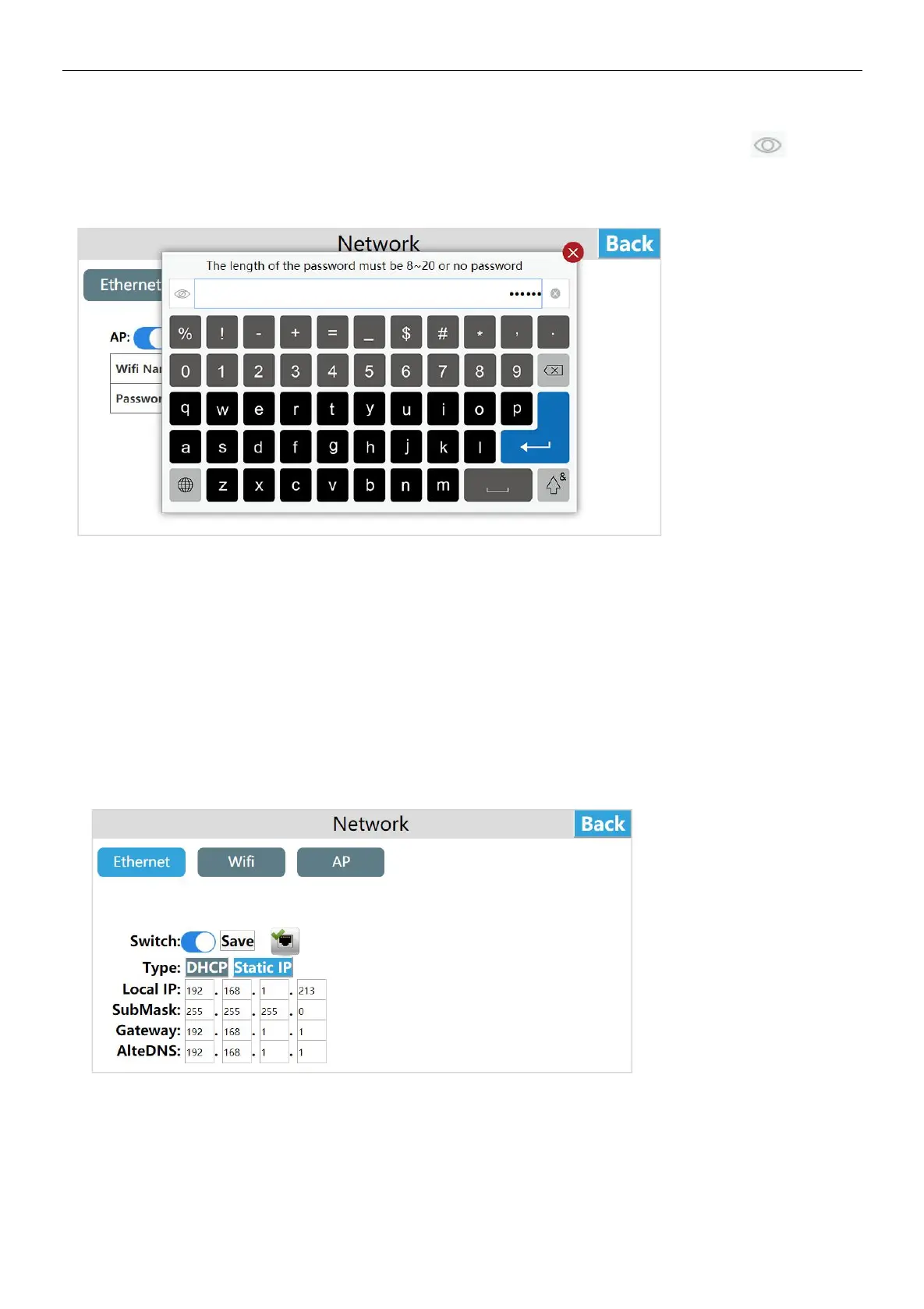
Set password, click "Password", a password input box pops up, click on the upper left corner of the input box to switch
the plaintext ciphertext of the password.
Enter the password, click [Enter], and click [Save] to save the added password information.
The factory default WI-FI password is empty.
Note: The length of the hot spot name is 6 to 18 bits, and the password can be empty or set to 8 to 20 bits.when it exceeds the
range,the entered hot spot name and password will not be displayed in the corresponding location and a prompt will pop up.
Network configuration model
The new series of HMI has the following 4 different network configuration models (take HT3000-7 as an example).
Standard(HT3000-7)
The HMI standard version only has Ethernet and does not include WI-FI / 4G / hot spot / routing modules,and the network onl
procide y by the network cable
With WI-FI (HT3000-7W)
HMI with WI-FI version only includes Ethernet and WI-FI, without 4G / hot spot / routing module, and the network is provided
by network cable / WI-FI.
With 4G (HT3000-7G)
The HMI with WI-FI version includes Ethernet, 4G ,and routing modules, without WI-FI / hot spots, and the network is
provided by the network cable / 4G.
The routing modes include: :close routing /4G client mode. The specific use of each routing mode will be explained below.
With 4G with WI-FI (HT3000-7GW)
The HMI with 4G and WI-FI version includes Ethernet / WI-FI / 4G / routing module, and the network is provided by Ethernet /
WI-FI / 4G.


 To Next Page