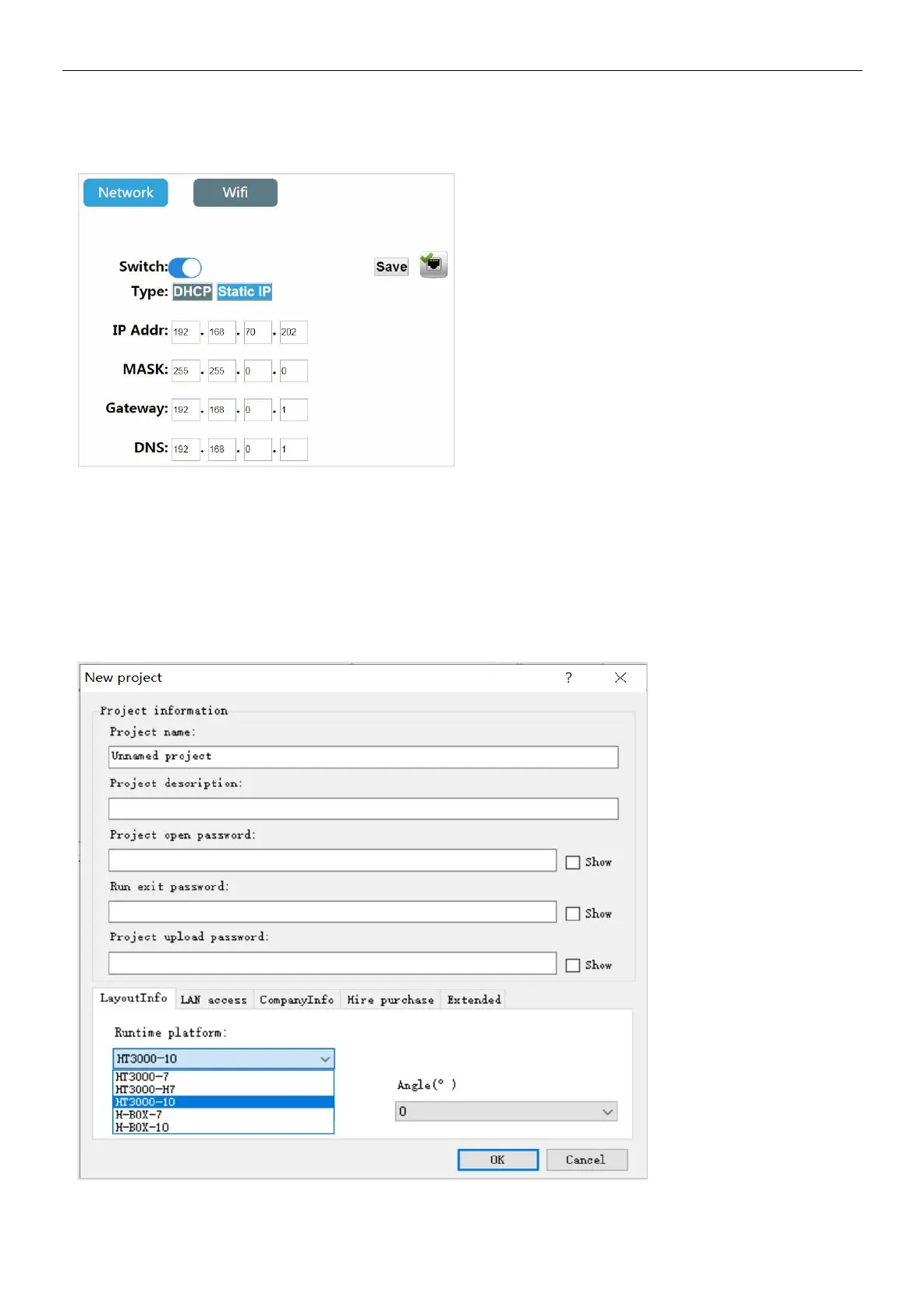
parameters: enter the correct IP address, subnet mask, default gateway and DNS, click [Save] After the verification is passed,
the HMI device can connect to the network via Ethernet.
2. Project running
a. Select device models
Step 1: Open HTCloud Designer software and set up a new project;
Step 2: Open [Project configuration] in the project browser, and click [Project properties] to enter the project property
configuration interface.
Step 3: Select the device model in the [Layout Info] field, which is consistent with the current device model. In this example,
HT3000-10 is taken as an example. Select HT3000-10 and click [OK].


 To Next Page