Could manager
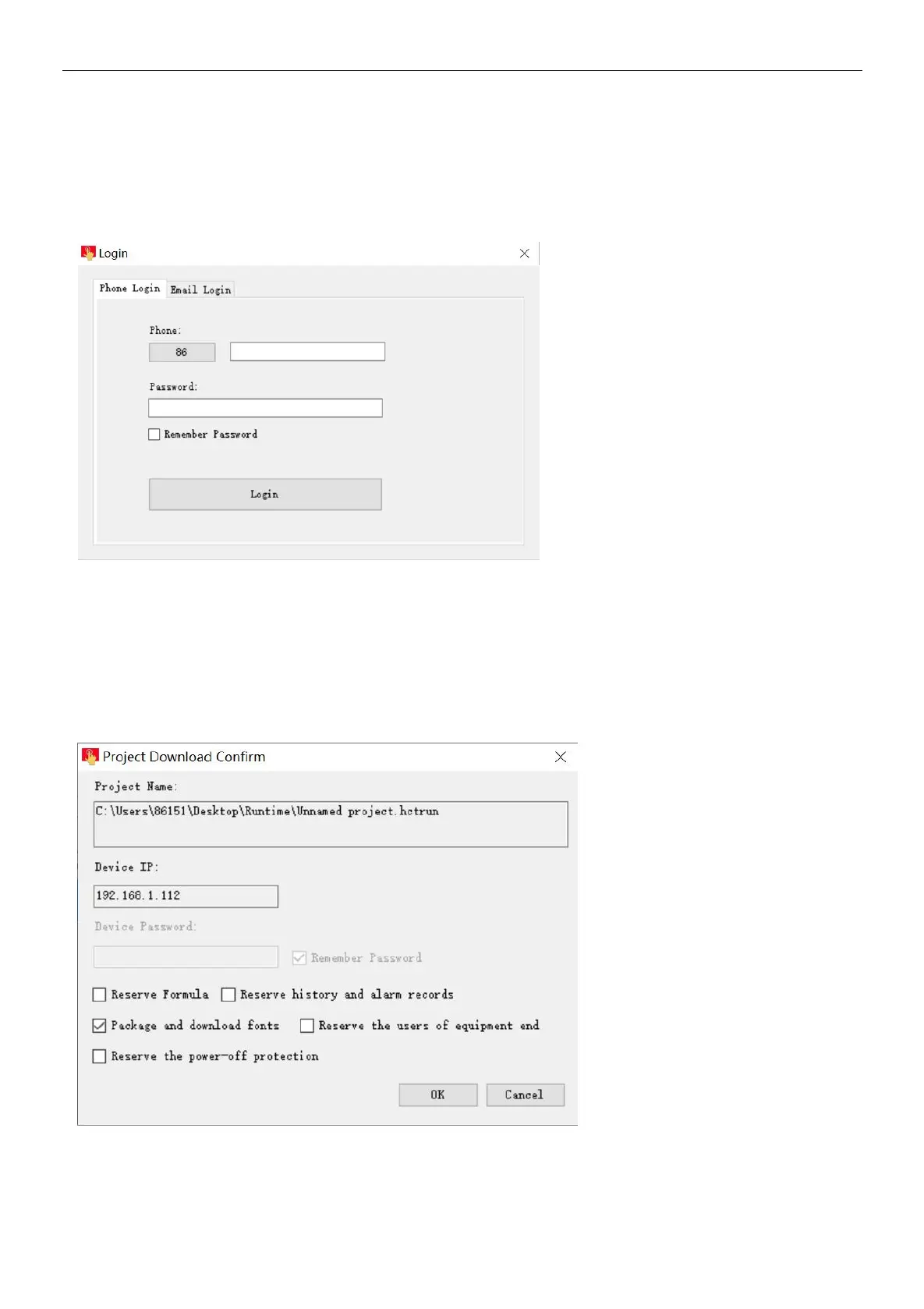
Step 1: enter device manager, click [ cloud manager ], optional log in with mobile phone or email. PS: device administrator and
machine owner can manage current device through cloud manager, common user don’t have administrative authority.
Step 2: user input correct account and password, click [ sign in ] enter device manager, choice[ manage ]. enter current device
manager, can operating current device, the following diagram:
b. Excute device management
Download project
Step 1: click [ download project ], enter project download confirm;
Step 2: In the confirmation download interface can choose whether to keep the history and alarm records, whether to keep the
recipe, and whether to download the packaged fonts. After the setting are complete, click [OK];
Step 3: Wait for the pop-up prompt "Download successful!", click [OK], running the project in device.
Upload project
Step 1: click [ upload project ], choice the upload path and project name, click save;
Step 2: enter project upload and confirm interface, if project set up upload password, need to input the upload in [ project


 To Next Page