Cloud settings
Binding device
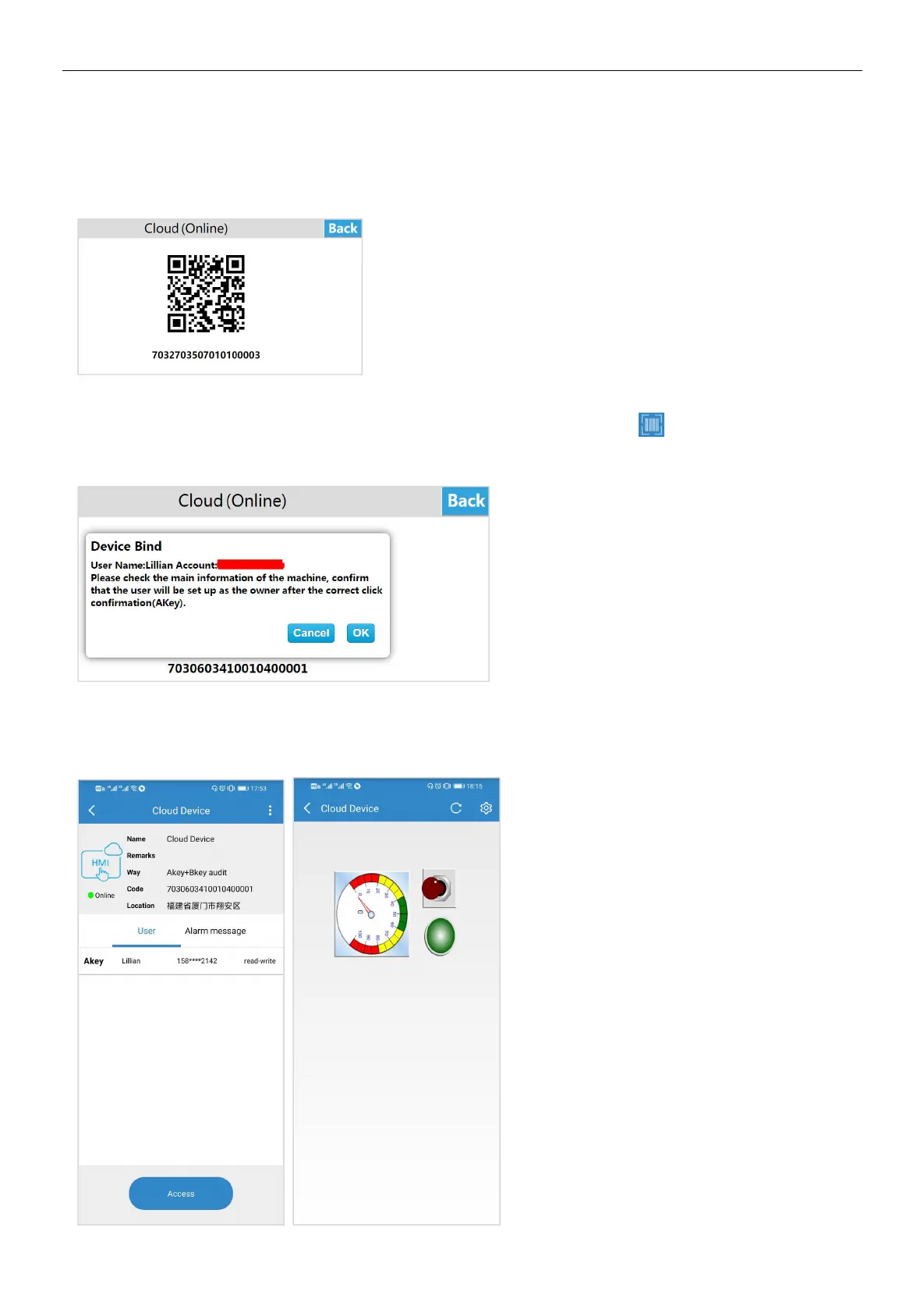
Enter the HMI background settings interface, click [Cloud], open the [Cloud Switch], and pop up the QR code and machine
code.
Log in to the cloud APP on your mobile phone, enter the [Device] interface, click the button in the upper left corner of the
main interface, scan the QR code to add the device. A prompt box for confirming the binding pops up on the device, click [OK],
the device is added successfully, and the user can remotely access the device.
Remote control
Enter the APP on mobile phone and enter the device; click [Access] to access the device. If the current project allows remote
operation, the user can remotely control the device through the mobile phone.


 To Next Page