b. Network Settings
Ethernet connection
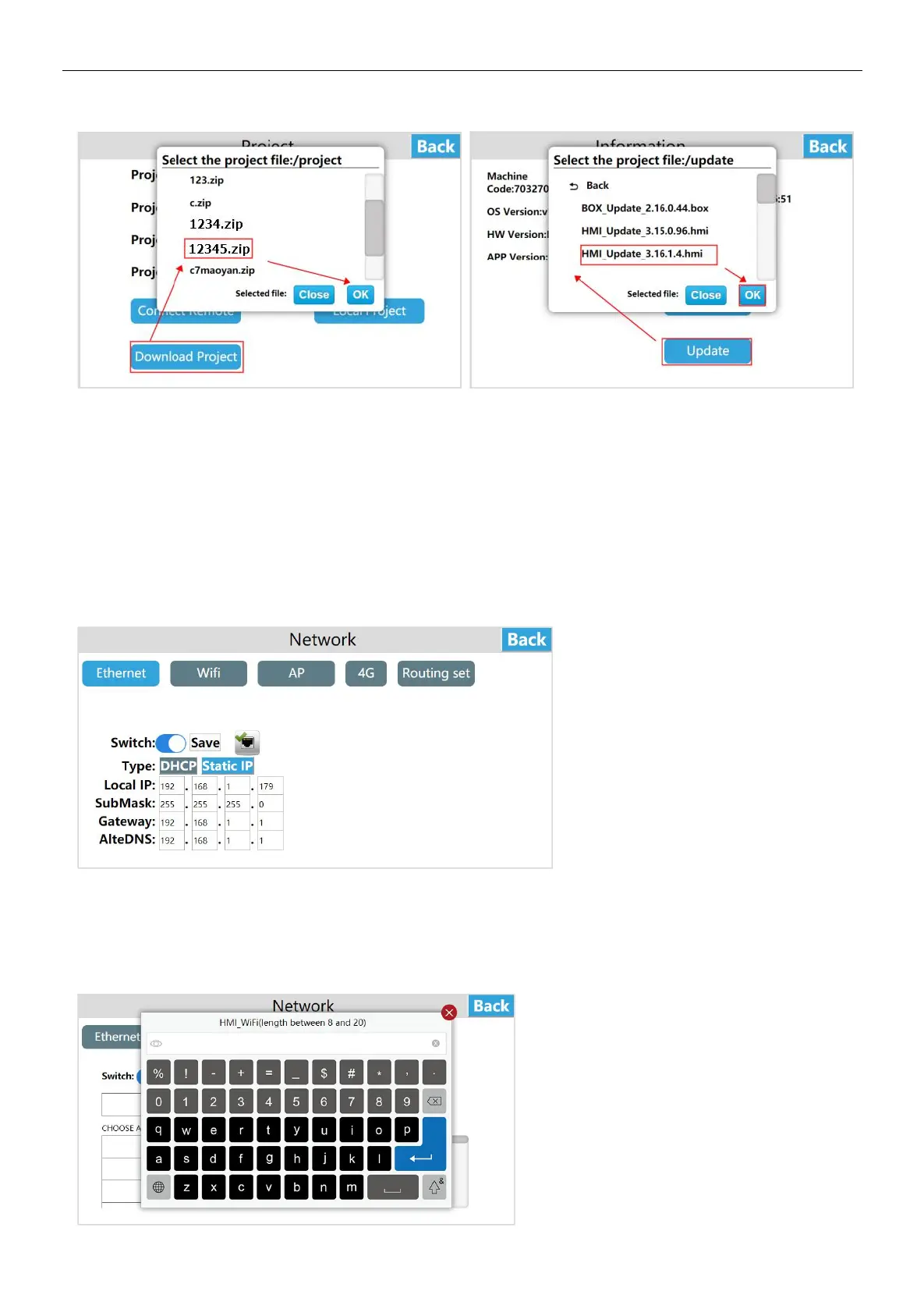
Enter the HT3000-10 background settings interface, click [Network], enter the Ethernet settings interface, open the [Switch], the
network type includes DHCP and Static IP.
① Dynamic IP
Connect the network cable, select [DHCP] for the network type, and click [Save], the device will automatically obtain the IP.
② Static IP
Connect the network cable, select [Static IP] for the network type, enter the correct IP address, subnet mask, default gateway,
and DNS, and click [Save]. After verification, the device can be connected to the network via Ethernet.
WI-FI settings
Click [WI-FI ] to enter the WI-FI settings interface,which support connecting to the network via WI-FI. Enter the WI-FI settings
interface, turn on the WI-FI switch, select the target WI-FI account, enter the correct WI-FI password, and connect to the WI-FI
network after verification.


 To Next Page