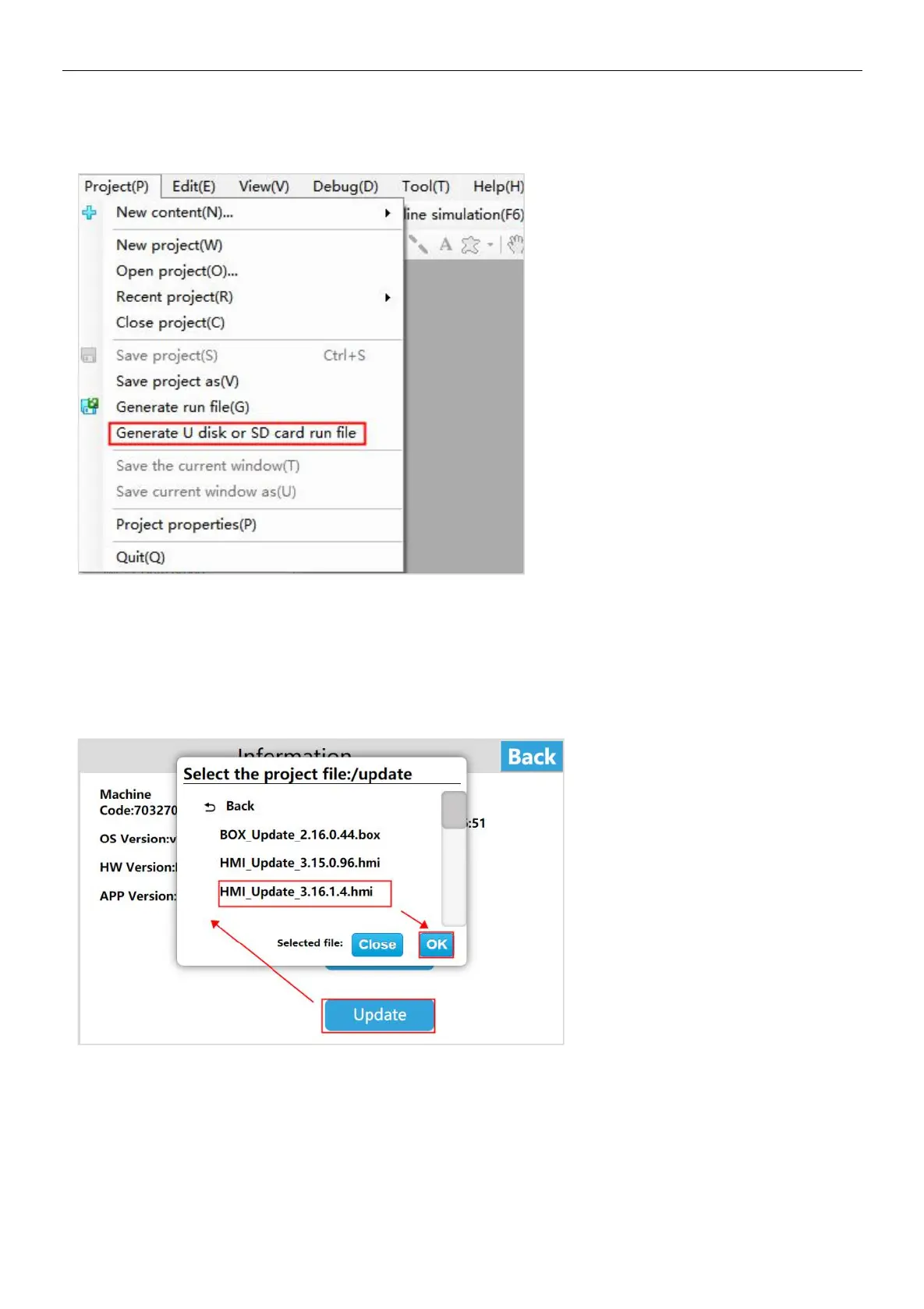
Step 2: Enter the compilation interface, set the appropriate output path after compilation, click [Save];
Step 3: After the running file is saved successfully, the system will pop up a prompt box of saving successfully, click [OK].
Download project
U dist download project
Step 1: Enter the HT3000-10 background settings interface, click [Project] to enter the project settings interface;
Step 2: Click [Download Project] to enter the project download interface;
Step 3: Insert the U disk, select [USB]; select the project according to the requirements, click [OK]. and the HT3000-10 device
will automatically restart after the successful download.
SD card download project
Step 1: Enter the HT3000-10 background settings interface and click [Project];
Step 2: Enter the project settings interface, click [Download Project] to enter the project download interface;
Step 3: Insert the U disk, select [SD], select the project according to the requirements, click [OK]. and the HT3000-10 device will
automatically restart after the successful download.


 To Next Page