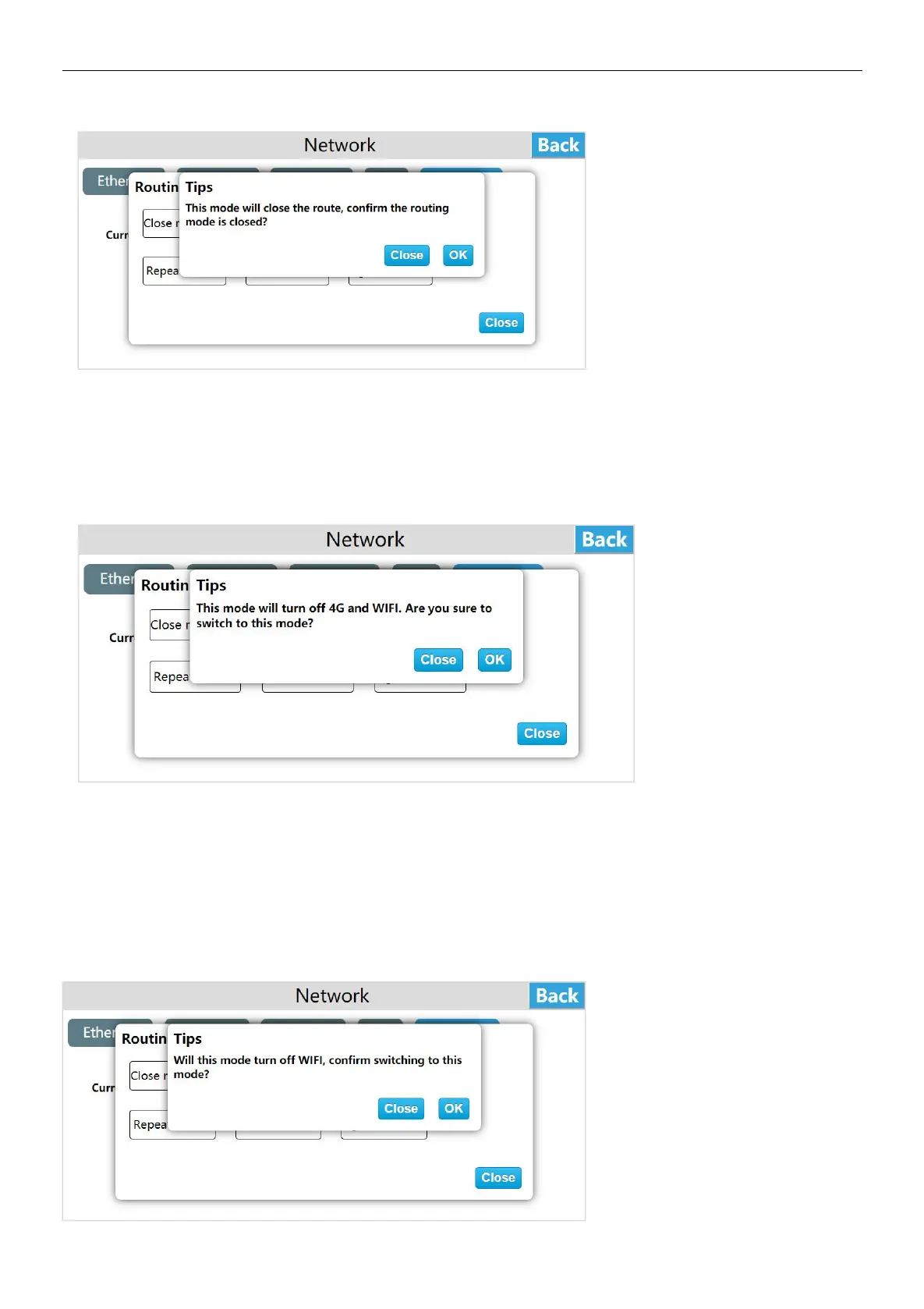
AP mode
Enter the HMI background settings interface, click [Network], enter the routing configuration interface, click "Settings", click "AP
Mode", a prompt "This mode will turn off 4G and WI-FI, are you sure to switch to this mode?", Click "OK" to set to wireless
access point mode.
In the "AP" mode, only the wired network provides the network, and Other devices can access LAN and internet by connecting
to the personal hot spot of the device.
4G routing mode
Enter the HMI background settings interface, click [Network], enter the routing configuration interface, click "Settings", click "4G
Routing Mode", a prompt "Will this turn off WI-FI,confirm switching to this mode ?", click "ok" to set the 4G routing mode.
In "4G routing" mode, only 4G provides the network to the device, and other devices can connect to the local area network and
external network by connecting the personal hot spot of the device. The wired network in this mode only supports LAN
networks.
In the "4G routing" mode, only 4G provides the network to the device, and other devices can connect to the LAN and internet
through the personal hot spot of the device. Wired networks in this mode only support LAN networks.


 To Next Page