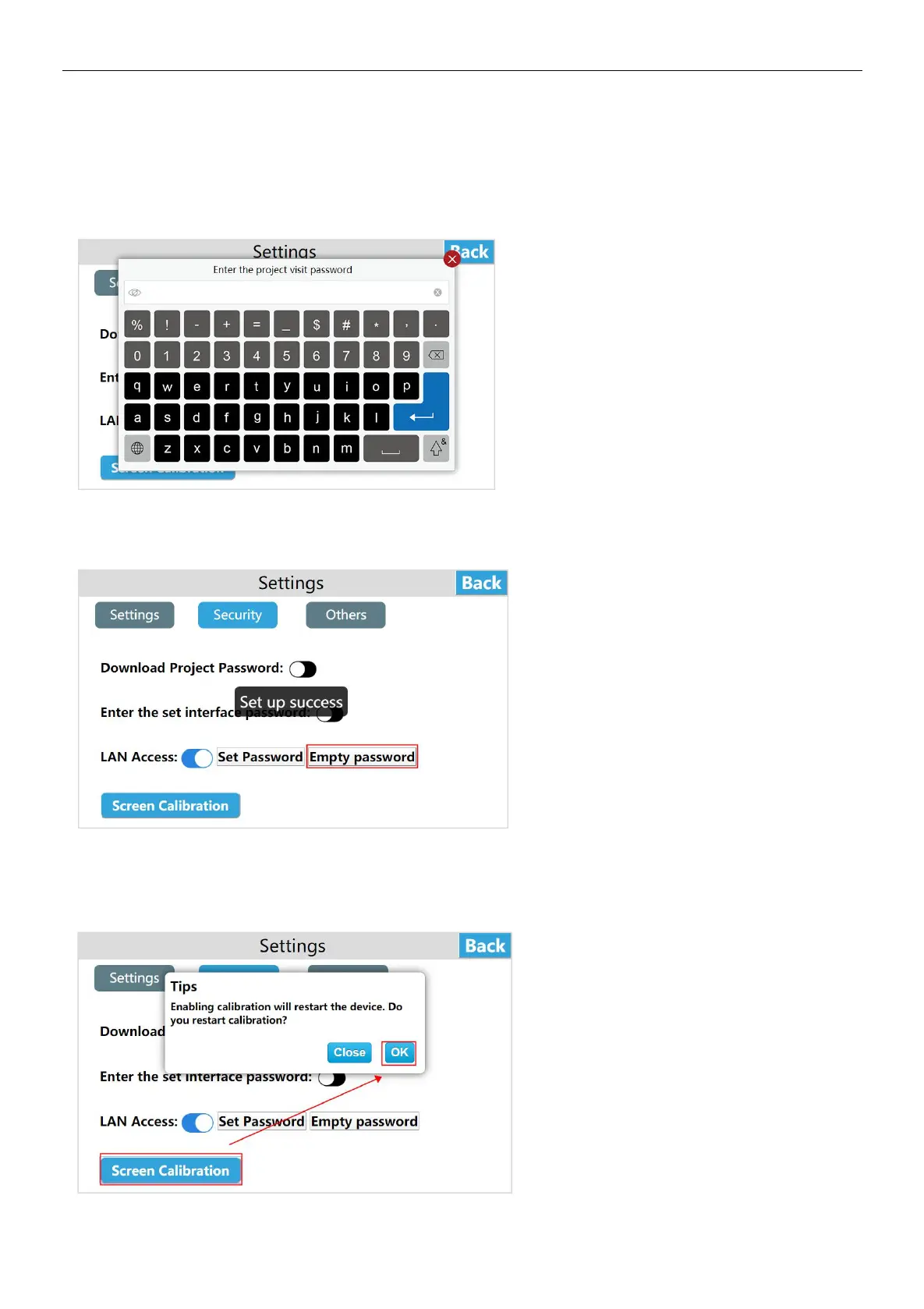
③ LAN access
Enter the HMI background settings interface, click [Settings], switch to the [Security] interface, and enable LAN access by
default. The user can click [Set password], enter the password to be set, click Enter, then enter the password again, and click
Enter to save the LAN access password. To access the device via LAN / mobile APP / cloud website / TVBOX etc, the user
must enter the correct LAN password.
Click [Empty password], a pop-up "set up success", that is to clear the previous LAN password, users can access the HMI
through the LAN (without entering any password).
④ Enable screen calibration
Click [Screen calibration], pop up [Enabling calibration will restart the device, whether to restart the calibration?], click OK to
perform touch screen calibration.


 To Next Page