71
7. Installation of electrical devices
Soft key menu bar C
Thisisusedtoaccesstheindividualmenusofthecomponents
and settings.
Soft keys
The“softkeys”areusedtocarryoutthecommandsdisplayed
inthelowermenubar(C).Forexample,theyenableaccessto
submenus,increaseorreducethevaluesshown,orrepresentthe
Returnbutton(“Back”function).
Control knob
Likethe“softkeys”,thecontrolknobenableseasynavigationbet-
weentheindividualmenus.Turntheknowtoselectthecorrespon-
dingmenuitemordisplayvalueshowntotheleft,ortoincreaseor
reducevalues.Presstheknobtojumptosubmenusorconrma
value that has been changed.
Selectedfunctions/iconsaredisplayedinyellow;valuesthatre-
quirechangingarehighlightedinwhite.
Wassertank
automatic
tank
control
12:25 27,4°C
06.06.16
26,4°C
automatic
tank
control
12:25 27,4°C
06.06. 16
26,4°C
Fresh water tank
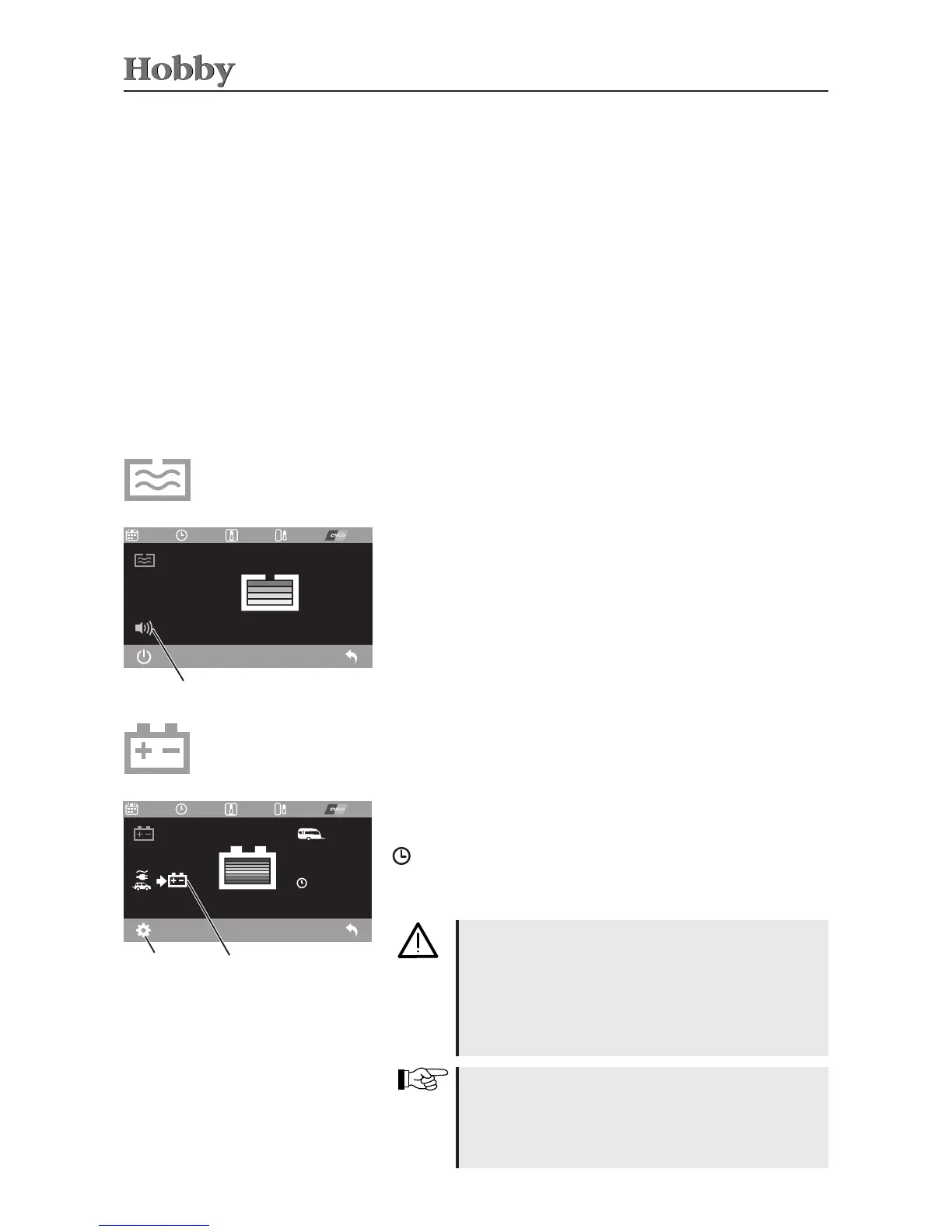
Thellinglevelofthefreshwatertankcanbereadohere.The
alarmcanbeactivated(green)abovetheleftsoftkey(On/Oicon).
Ifthealarmhasbeenactivated,abeepwillgoowhenthetankis
beinglled.Thesebeepswillbesentatincreasinglyshorterinter-
valswhilethe tankislling up.Thelling levelofthe freshwater
tankwillbeautomaticallyupdatedonthecontrolpaneleveryfew
seconds.
Exitthis menubyusing the“Back”function;otherwise,after one
hour,itwillautomaticallyswitchbacktothemainmenuonthecon-
trolpanel.
Alarm
Battery management*
Thecurrentstatusoftheauxiliarybatteryisdisplayedinthebattery
menu(self-sucientpackage).Thechargingstatusisshowninthe
batteryicon;theexampleshowsafullychargedbattery.
Batterie-
management
U : 12,3 V
I : 5,3 A
: 6,5 h
T : 0,0 °C
R : 0
Charger
GEL060 Ah
12:25 27,4°C
06.06.16
26,4°C
12:25 27,4°C
06.06.16
26,4°C
U : 12,3 V
I : 5,3 A
: 6,5 h
T : 0,0 °C
R : 0
Charger
12:25 27,4°C
06.06. 16
26,4°C
12:25 27,4°C
06.06. 16
26,4°C
Display: battery
charging
Submenu: setting
the battery type
Thetemperatureof thebattery mustnot exceed50° C.
Awarningmessagewillbesentifthetemperatureex-
ceeds 50° C and the battery will be shown in red in
the main menu on the control panel. If the battery is
overheated, it cannot be charged. Should this war-
ningoccurrepeatedly,thecampermustbetakentoan
authorisedspecialist.
U = current charging voltage
I = current charging/discharge current
= remaining time to charge/operate the battery in hours
T = battery temperature
R = calibration check of the battery sensor
Duringcalibration,thevehiclemustnotbehookedup
tothe230Vmains(thechargermustnotchargethe
battery during calibration). Furthermore, the vehicle
must not be started while the sensor for the starter
battery is being calibrated.



 To Next Page