Built-in devices
10-3
To operate
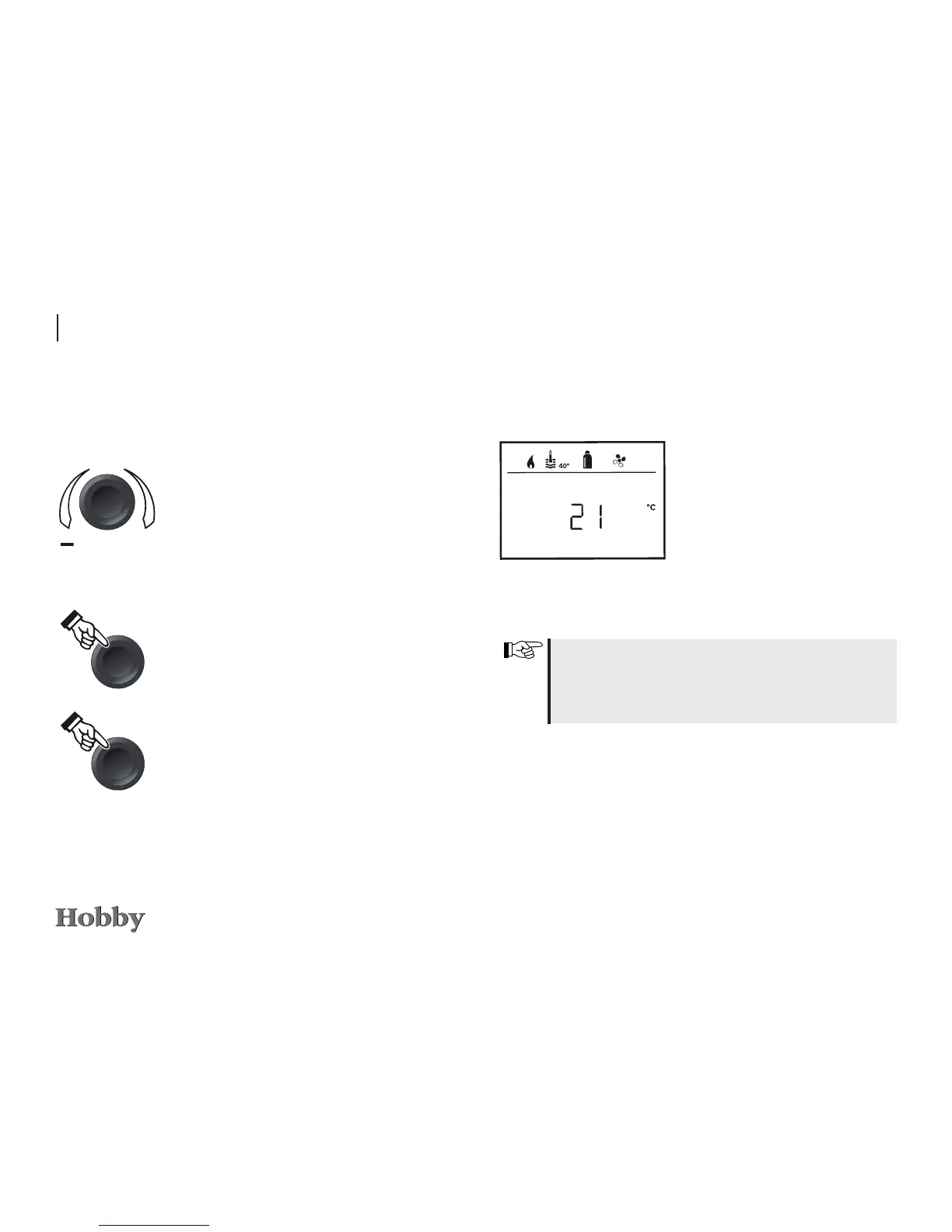
Start / stand-by screen
A few seconds after the control
panel has been connected to the
power supply, a start screen will
appear.
If nothing is entered for several
minutes, a stand-by screen will
automatically be displayed.
When the time is set (see “Setting the time”) the display
alternates between the time and the room temperature that
has been set. If no time has been set, the set room tempe-
rature will be displayed permanently.
Functions
The functions in the menu lines lm of the control panel
can be selected in any sequence. The operating parameters are
shown in the status line
k
or in the display no
.
Adjusting knob / pushbutton
The adjusting knob / pushbutton
q
is used to select and
change specied values and parameters. The changes are sa-
ved by briey pressing the button. Selected menu items blink.
Turn to the right (+)
-
Goes through the menu list from left to right.
- Increases the values.
Turn to the left (-)
-
Goes through the menu list from right to left.
- Decreases the values.
Press the button briey
-
Saves a selected value.
- Selects a menu item; changes to the setting
mode.
Press (3 seconds)
-
Main function ON / OFF
Reset button
Press the reset button
r
to return to the previous menu and
reject the settings. This means that the previous values will
continue to apply.







 To Next Page