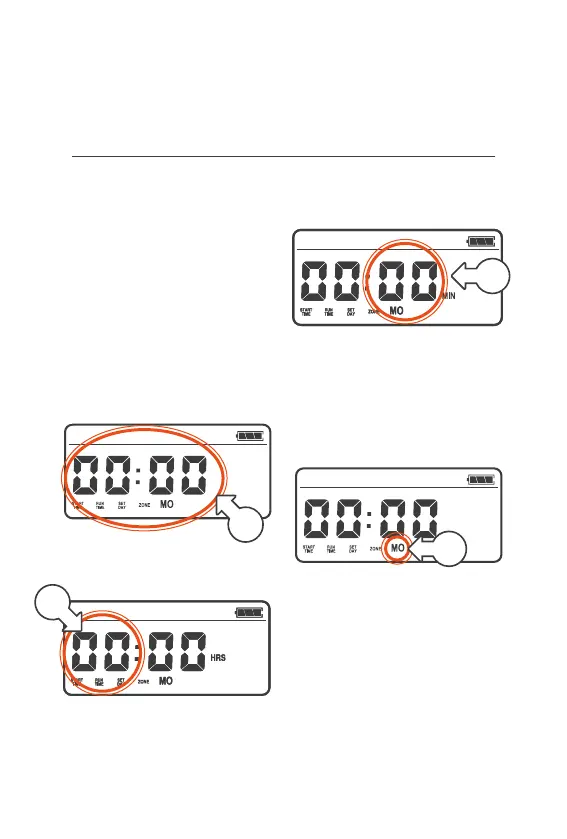
Set Clock
® The current time and day
of the week is needed as
the reference point for
your program to work
® The CLOCK is in 24hr
time (12:00 is midday
and 00:00 is midnight)
1. To set the clock, turn your
MENU DIAL anti‑clockwise
(left) or clockwise(right)
until the time is flashing [a]
2. Press the MENU DIAL once
and the HOUR will flash [b]
3. Turn the MENU DIAL to set
the HOUR of the current time
4. Press the MENU DIAL and
the MINUTES will flash [c]
5. Turn the MENU DIAL
to select the MINUTES
of the current time
6. Press the MENU DIAL
and DAYS will flash [d]
7. Turn the MENU DIAL
to select the current
DAY of the week
8. Press the MENU DIAL
to complete this step
Setup (continued)
a
b
c
d



 To Next Page