30 of 32
Troubleshooting
Incorrect Decal
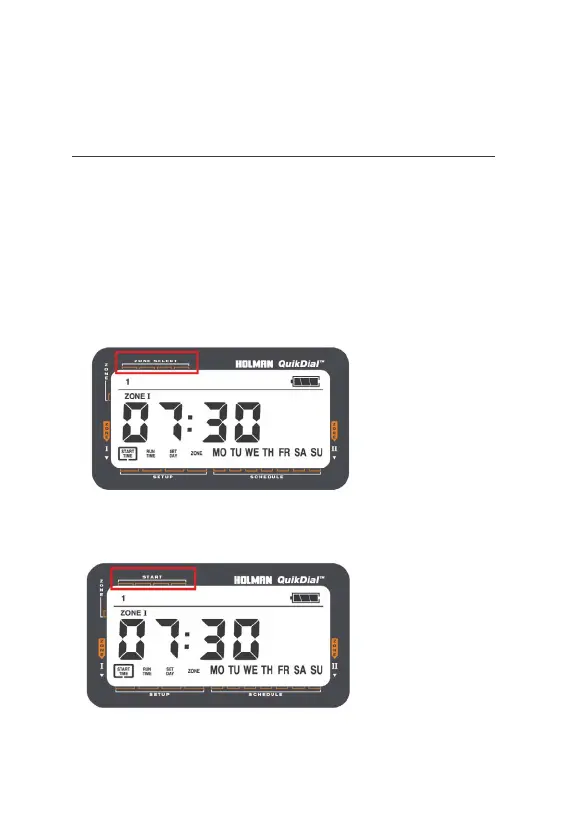
® If you have received a QuikDial with the batch number 23/36,
it is likely this will have the incorrect face decal due to a printing
error. This will not affect the functionality of the QuikDial,
however may cause some confusion in the initial set up process
® If you have the QuikDial batch number 23/36, the
face will look like the below image (highlighted in red),
Zone Select should be referred too as ‘Start’
® Please refer too the below for the correct set up:



 To Next Page