Setup (continued)Setup (continued)
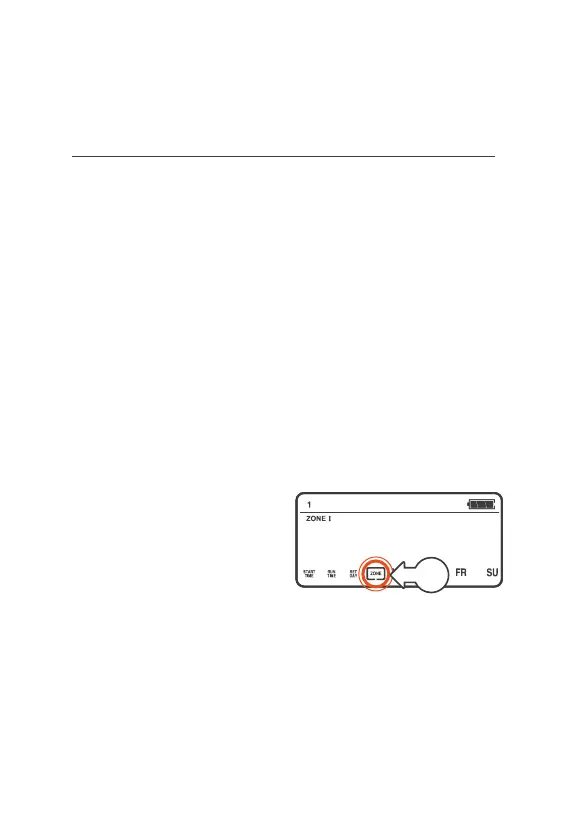
Zone
Á A START will remain
OFF if no ZONES are
selected for the START
® ZONES can be set up either
with a separate START
(when needed to water on
different DAYS or different
START TIMES), or set up
within the same START
® All STARTS have ZONEI
selected by default
® You can change to another
ZONE or select all ZONES
via the ZONE menu
® When ZONES are set to
water within the same
START your QuikDial will
water each zone sequentially
starting from the set
STARTTIME
® ZONE can be accessed
two ways—either as
a continuation from
the SET DAY, or using
the following steps:
1. Turn the MENU DIAL to
select the START NUMBER
2. Press the MENU DIAL
3. The menu box will flash
around START TIME
4. Turn the MENU DIAL
clockwise (right) until a box
is flashing around ZONE[a]
5. Press the MENU DIAL
to confirm you’d like to
update the ZONE menu
a



 To Next Page