19 of 32
Setup (continued)
Set Day
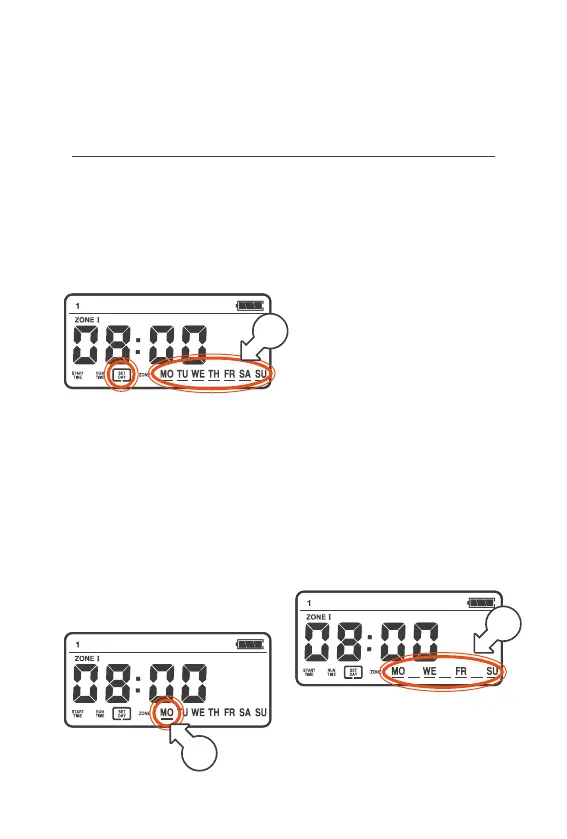
4. Turn the MENU DIAL
clockwise (right), until a box
is flashing around SET DAY
and lines are flashing below
the days of the week [b]
5. Press the MENU DIAL
once and a solid line will
flash below MO only [c]
a. To keep MO selected,
turn the MENU DIAL
clockwise (right) to
move to the next day
b. To remove MO press the
MENU DIAL, MO will be
removed from the screen
6. Turn the MENU DIAL
clockwise (right) to
move to TU
7. Repeat for each day,
pressing the MENU DIAL
to remove days as needed
® If a day is removed by
accident, turn the MENU
DIAL anti‑clockwise until
the line is flashing under
the removed day. Press
the MENU DIAL again
to reinstate the day
® Only the days which are
included in the START
will be displayed
8. Once you have set/removed
SU all lines will flash[d]
9. Press the MENU DIAL
again to move on to ZONE
d
c
b



 To Next Page