25 of 32
Manual Watering
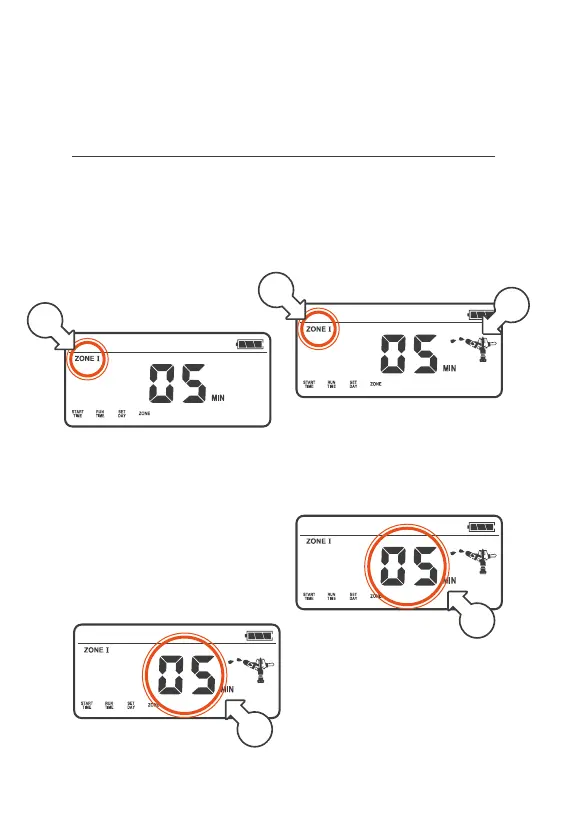
® By default, the pre‑set manual RUNTIME is 5 min
1. For manual (instant)
watering, press ON/OFF
2. ZONE I will flash [a],
turn the MENUDIAL
to select a ZONE
3. Press the MENUDIAL to
confirm your ZONE selection
4. To water for the pre‑set
manual RUNTIME, wait
a short period of time for
the RUN TIME to stop
flashing[b], indicating
it has been set
® During watering, the
sprinkler animation will be
active [c] and the selected
ZONE [d] will flash
5. To adjust the manual
RUNTIME, turn
MENUDIAL when the
RUN TIME is flashing [b]
® Min. manual
RUNTIME is 1 min
® Max. manual RUNTIME
is 99 min
Operation (continued)
a
d
b
b
c



 To Next Page