18 of 32
Setup (continued)
Run Time
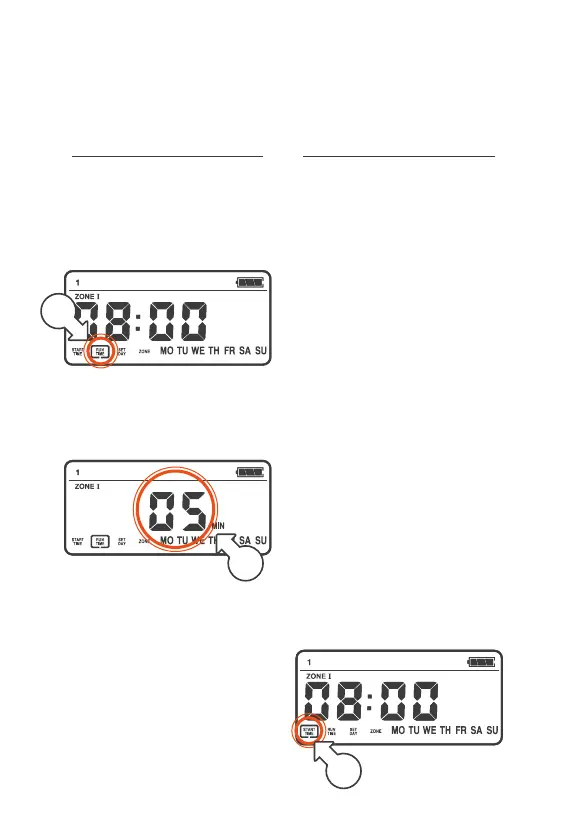
3. Turn the MENU DIAL
clockwise (right), and the
menu box will now flash
around RUN TIME [b]
4. Press the MENU DIAL
once and the RUN TIME
will begin flashing [c]
5. Turn the MENU DIAL to
the desired RUNTIME
(up to 99 min)
6. Press the MENU DIAL again
to move on to SET DAY
b
c
Set Day
® Your QuikDial allows
you to select the days
of the week to water
Á There is no interval
watering option
® The 7 days of the week
are represented with their
first two letters. MO for
Monday, TU for Tuesday etc.
® SET DAY allows you to
select (or change) the
day/s you wish to water
either as a continuation
from the RUN TIME or
using the following steps:
1. Turn the MENU DIAL to
select the START NUMBER
2. Press the MENU DIAL
3. The menu box will flash
around START TIME [a]
a



 To Next Page