Operation
Automatic Watering
® Ensure CLOCK,
STARTTIME, RUN TIME,
SET DAY and ZONE have
all been set correctly
® Pressing the ON/OFF button
during an automatic program
stops it from watering
® After 10 secondsof
inactivity on your
QuikDial controls, the set
watering schedule will be
active in the background as
per your confirmed settings
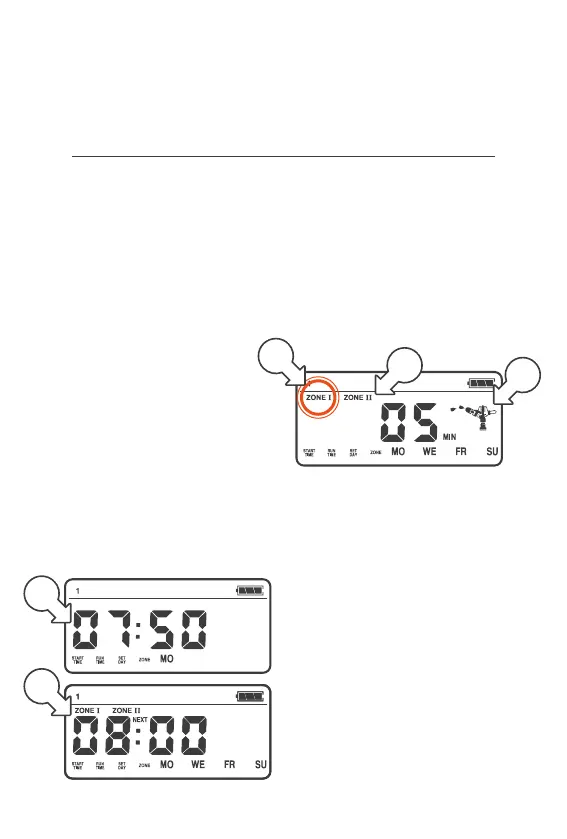
® In this state, your QuikDial
display will cycle between
the CLOCK [a] and the
STARTTIME of your next
watering session [b]
1. When the CLOCK[a] and
START TIME [b] match,
the ZONE/S will start
watering in sequential order
2. During watering, the
sprinkler animation [c] will
be active and the current
ZONE [d] will flash
® Additional zones
scheduled for watering
will also show [e]
® Your timer will have a
three second period of 00
before ending a watering or
moving to the next ZONE
a
c
e
d
b



 To Next Page