16 of 32
Start Time
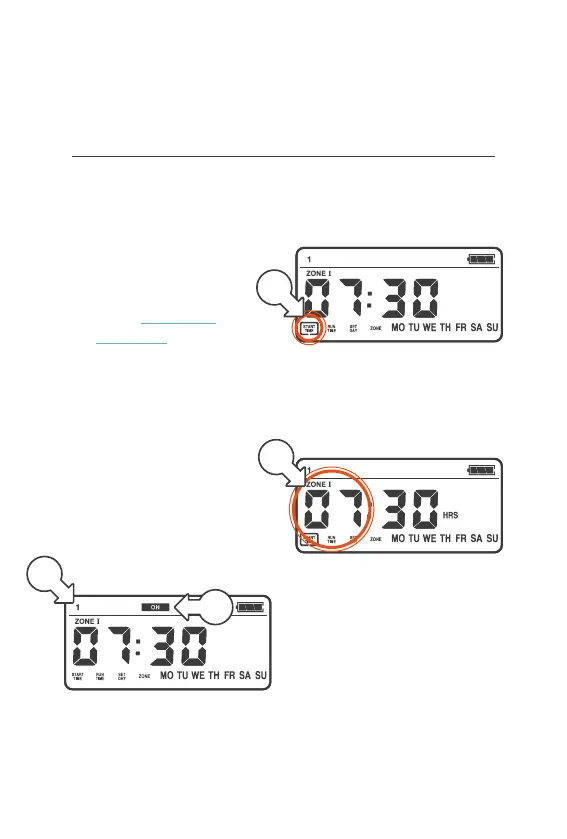
® START TIME is the time of
day your watering begins
® Your QuikDial waters each
ZONE sequentially starting
from this time. ZONES are
added at a later step—
refer to ZONE setup
instructions to learn more
® To set the watering
STARTTIME for your
active START/S:
1. Select the START NUMBER
by turning the MENUDIAL
clockwise (right)
2. Active STARTS have the
STARTNUMBER[a]
and ON[b] displayed
on the screen
3. Press the MENU DIAL
once, the menu box around
START TIME will flash [c]
4. Press the MENU DIAL
again and HOURS will
flash [d], indicating
HOURS can now be set
5. Turn the MENU DIAL left or
right to set to your preferred
HOUR for the START TIME
Setup (continued)
a
b
c
b



 To Next Page