HomeSecure HS-PRO-01 Manual: 22-08-2014
Copyright © 2015 HomeSecure
35
9.2 Calls when the alarm goes off
By alarm, the alert system will call the specified phone numbers. 5 sec. after the phone is answered
there a voice guidance will be played which is repeated 5 times at 5 sec. intervals. Before the voice
guidance stops, you can program the alarm system with the phone. Below is a table summarizing the
actions you can perform using your phone.
3 to disable followed
by 1
3 to disable followed
by 2
6 (slukker aut. Efter
10sek)
0 (the alarm system
DOESN’T call the other
phone numbers)
There may be communication errors if you dial either on your phone or at the
alarm panel during the voice guidance. We recommend that you wait until the
playback is complete before entering. If the alarm system already is during
programming, the call operation is not possible.
9.3 SMS when the alarm goes off
9.3.1 Alarm SMS
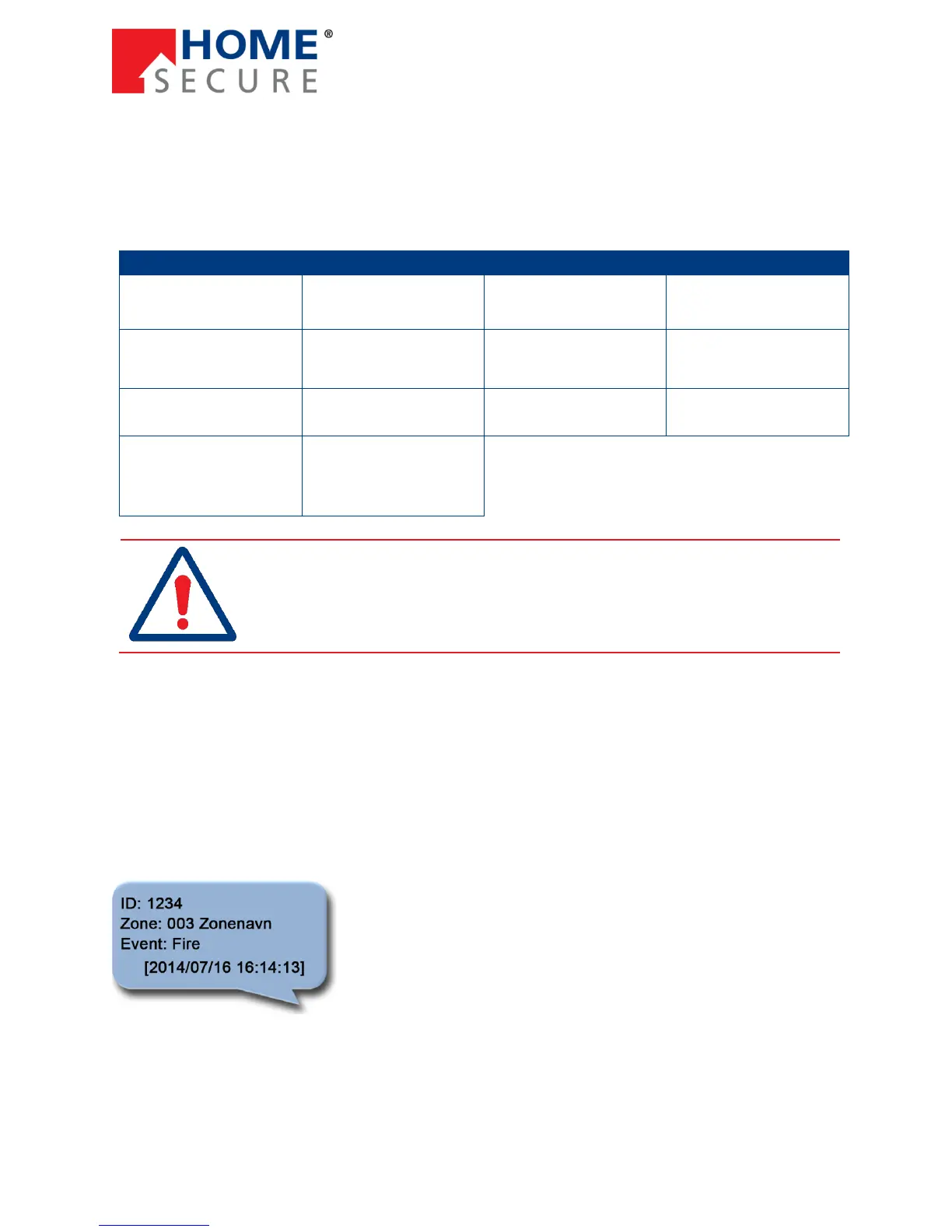
The alarm system sends a SMS on alarm and System Trouble to the set telephone numbers. Below are
some examples of SMS for alarm, operation, and zone trouble where the alarm panel ID is 1234 (see
more about the panel ID on page 59).
SMS message by alarm:
Zone refers to the zone that triggered the alarm. In this case, zone 3,
followed by the zone name.
Event refers to the incident. In this case, a fire alarm has been
triggered. For other alarm sources, then it is described which zone
triggered the alarm.


 To Next Page