HomeSecure HS-PRO-01 Manual: 22-08-2014
Copyright © 2015 HomeSecure
7
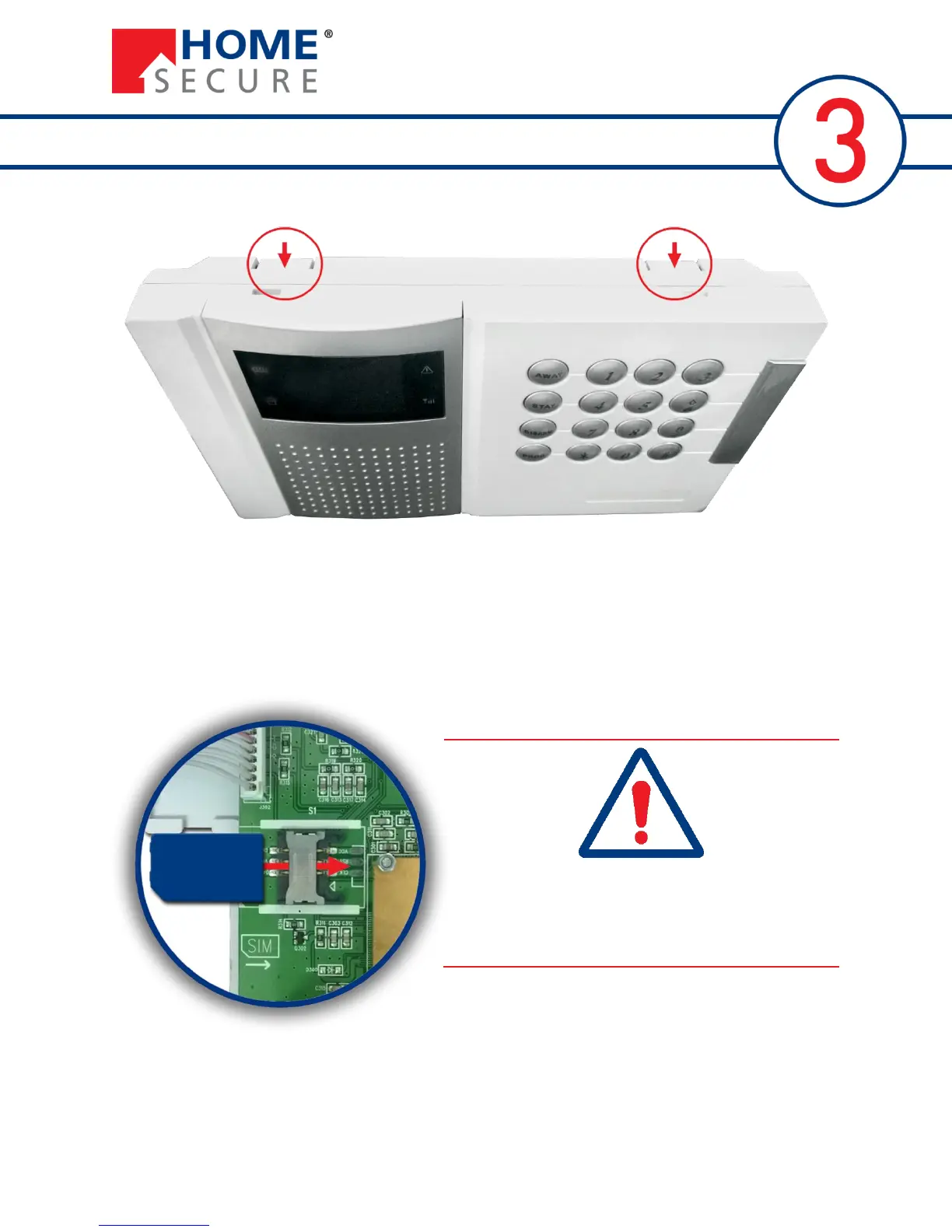
3.1 Open the Alarm Panel and Insert SIM card
Press down on the two lock on the top side of the panel and pull the front and back parts apart.
You must insert a SIM card in order for the GSM and SMS functions to work. AC power and battery must
both be disconnected for secure operation. Push the SIM card all the way in with the metal part facing
down.
It is important that PIN code request and voice mail
are both disabled on the SIM card.
If these are not disabled, the alarm panel cannot use
the SIM card to access the GSM network.


 To Next Page