HomeSecure HS-PRO-01 Manual: 22-08-2014
Copyright © 2015 HomeSecure
50
This alarm system can be hooked up to a CMS, which means Central Monitor Station.
This is often a security company, which in case of alarm will send out guards.
If you do not have a contract with a security firm on this, then ignore this
section.
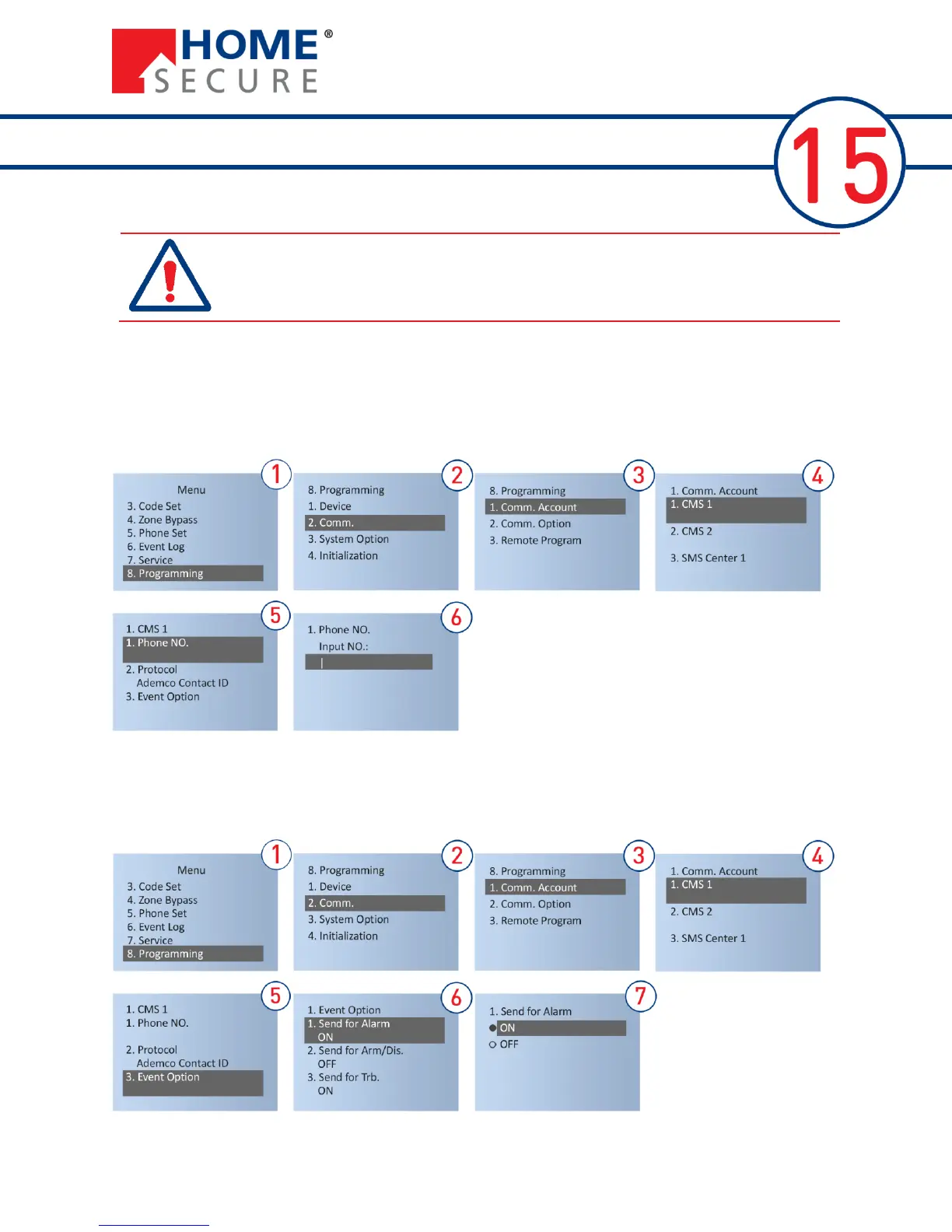
15.1 Setting the CMS telephone
CMS (Central Monitor Station) is used to upload events through the telephone network, such as alarm
activation, deactivation, system trouble, and service events etc.
To set CMS phone number (supplied by the provider):
15.2 Options for CMS events
It is possible to send messages concerning: Alarm, Arm/Disarm, System Trouble and Service Info. The
alarm transmits as standard a message at all of the above events. Each can be turned off by:


 To Next Page