HomeSecure HS-PRO-01 Manual: 22-08-2014
Copyright © 2015 HomeSecure
55
16.4 Clear codes through the hardware
The codes can also be deleted using the jumpers on the alarm panel main board (see [17.4.1 Main
Board] at page 59). If the codes have been lost, the jumper is moved to default while power is off. The
alarm system is started up again, and then turned off and the jumper is moved back again. When the
system starts up for the second time, the codes will be restored to the factory settings.
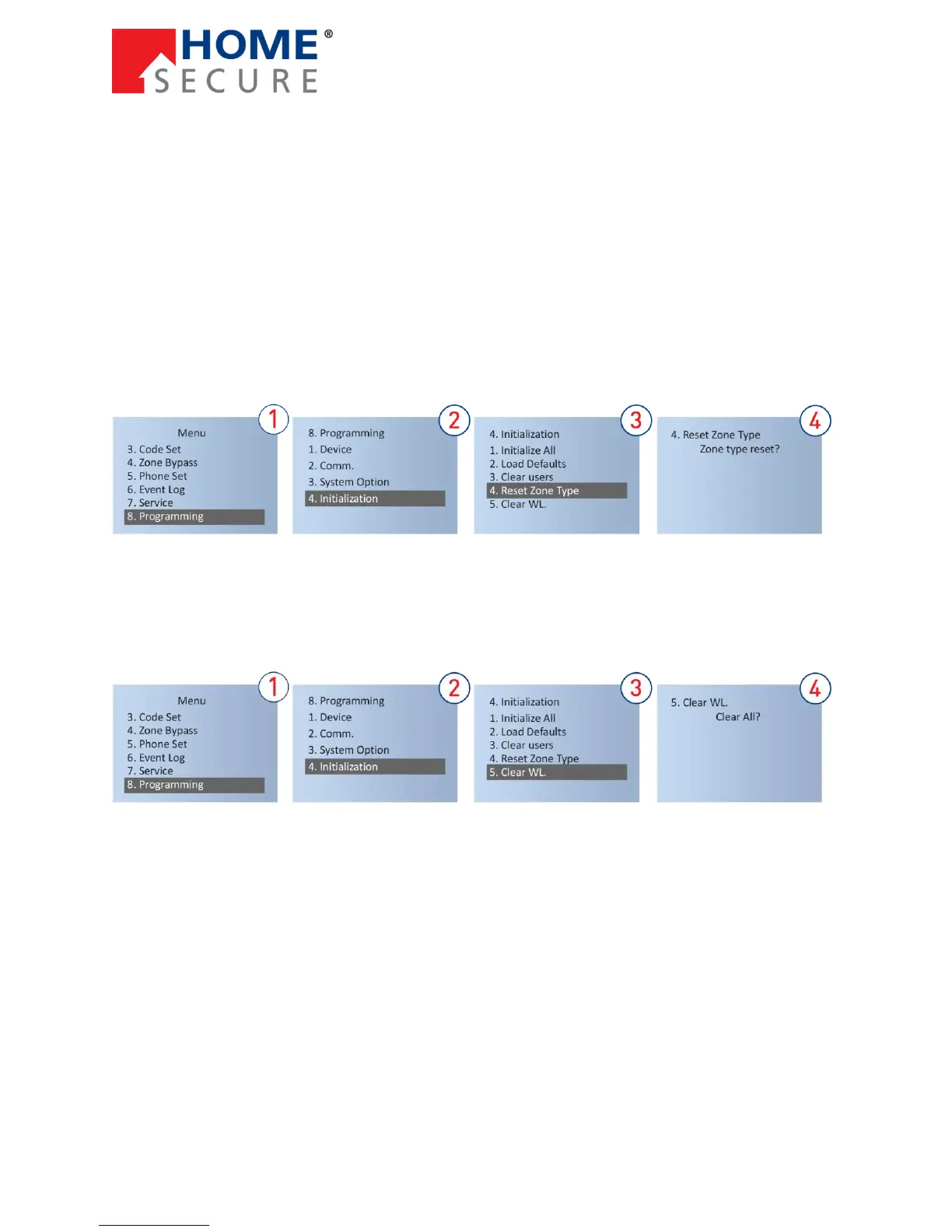
16.5 Reset Zone Type
With this feature, all wireless zones will be restored to panic zones and all wired zones will be restored
to the entry/exit zones.
To reset zones:
16.6 Clear Wireless Zones:
All wireless zones will be deleted, including sensors, remote controls, wireless sirens etc.
To delete wireless sirens:


 To Next Page