EasyManua.ls Logo

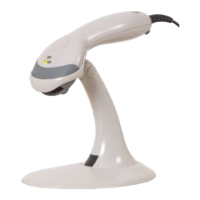
Honeywell Eclipse MS5145 - User Manual

Honeywell Eclipse MS5145
40 pages
Print Icon
To Next Page IconTo Next Page
Loading...
MS5100
Eclipse Series
User’s Guide

Other manuals for Honeywell Eclipse MS5145

Questions and Answers

  • J
    Jason OlsenSep 12, 2025
    Why Honeywell Eclipse MS5145 Barcode Reader characters are being dropped?
    • S
      santiagojenniferSep 12, 2025
      If characters are being dropped by your Honeywell Barcode Reader, inter-character delay needs to be added to the transmitted output. Add some inter-character delay to the transmitted output by using the MetroSelect Single-Line Configuration Guide.
  • M
    Michael HarringtonSep 13, 2025
    What does it mean if Honeywell Eclipse MS5145 beeps two times and alternately flashes the LEDs at power up?
    • X
      xrogersSep 13, 2025
      If your Honeywell Barcode Reader beeps two times and alternately flashes the LEDs at power up, there is a ROM failure. A flash ROM upgrade is required.
  • N
    nmartinSep 15, 2025
    What does it mean if Honeywell Barcode Reader scans, communicates and beeps twice?
    • P
      pwhitakerSep 15, 2025
      If your Honeywell Barcode Reader scans, communicates, and beeps twice, the same symbol timeout is set too short. Adjust the same symbol timeout for a longer time.

Summary

Maintenance and Safety

Installation Procedures

RS232 or Laser Emulation Installation

Instructions for setting up the scanner using RS232 or Laser emulation interfaces.

RS485 Connection

Guide for installing the scanner with the RS485 communication protocol.

Keyboard Wedge Connection

Steps for connecting the scanner via the keyboard wedge interface for PC input.

Stand-Alone Keyboard Connection

Instructions for operating the scanner as a stand-alone device with keyboard emulation.

USB Connectivity

Details on connecting the scanner using USB for data transfer.

Scanner Operation and Indicators

Modes of Operation

Explains the different modes of scanner operation, such as CodeGate and Manual Activation.

Failure Modes

Lists common failure indicators and their potential causes for troubleshooting.

Design Specifications

Applications and Protocols

Configuration and Upgrades

Upgrading the Firmware

Instructions and requirements for updating the scanner's firmware.

Scanner and Cable Details

Customer Support

Honeywell Eclipse MS5145 Specifications

General IconGeneral
Scan PatternSingle Line
Light Source650 nm visible laser diode
Scan Speed72 scan lines per second
InterfaceUSB, RS232, Keyboard Wedge, IBM 46xx (RS485)
Weight100 g (3.5 oz)
Operating Temperature0°C to 40°C (32°F to 104°F)
Storage Temperature-40°C to 60°C (-40°F to 140°F)
Humidity5% to 95% relative humidity, non-condensing
Drop ResistanceDesigned to withstand 1.5 m (5 ft) drops
Scan Rate72 scan lines per second
Decode Capability1D barcodes
Electrical SpecificationsInput Voltage: 5 VDC ± 0.25 V
Regulatory ComplianceCE, FCC, RoHS

Related product manuals