2MP/4MP Low Light WDR IP Camera User Guide
40
6 Configuring Event Settings
This chapter contains the following sections:
• Configuring Alarm Events, page 40
• Configuring System Events, page 42
• Configuring Motion Detection Events, page 44
• Configuring Camera Tampering Events, page 46
• Configuring Scene Change Events, page 47
• Configuring Audio Events, page 48
• Configuring Smart Plan, page 49
• Configuring IVS Analysis Events, page 50
• Configuring Face Detection Events, page 51
• Configuring People Counting Events, page 52
• Configuring Heat Map Events, page 54
Configuring Alarm Events
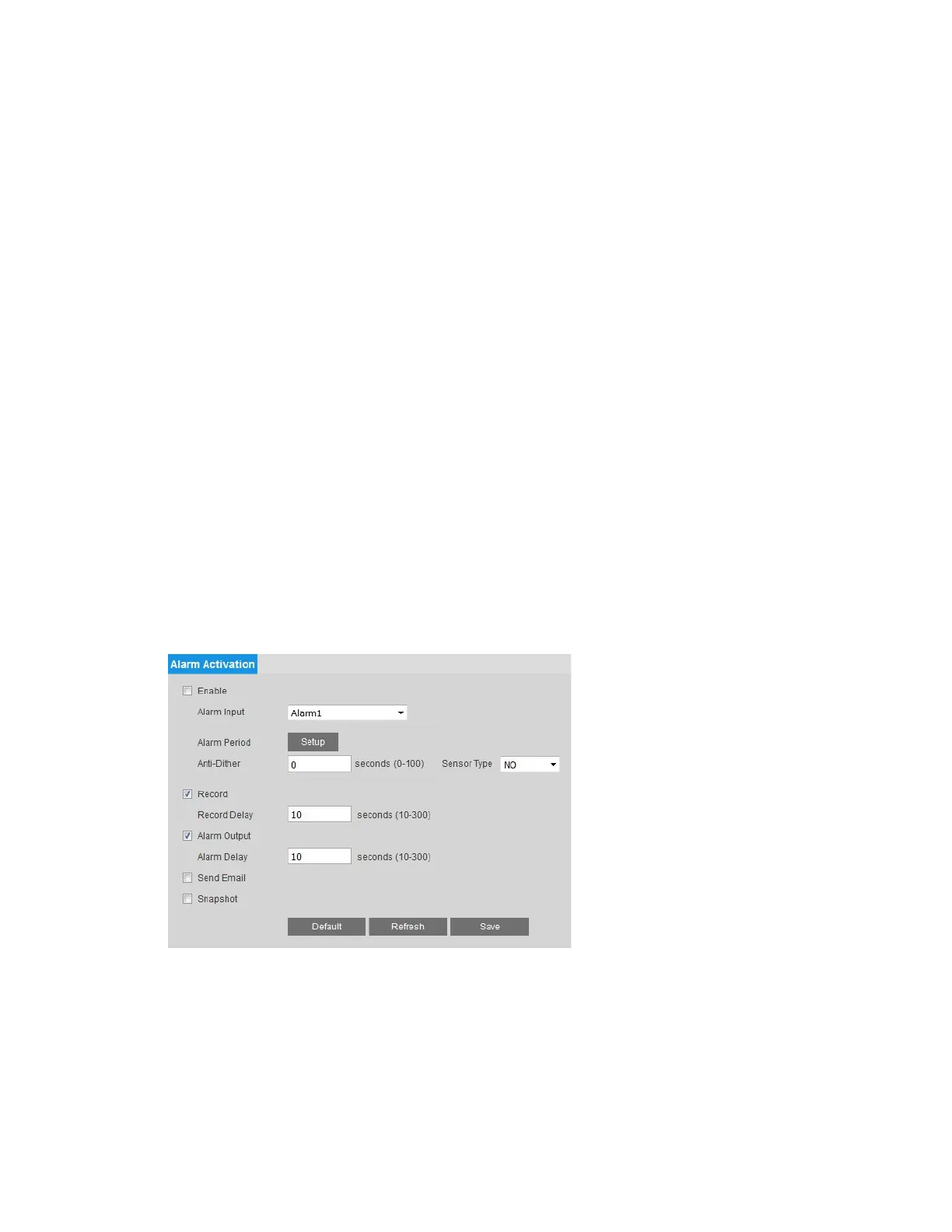
You can configure alarm event settings on the Setup Alarm Setup Alarm Setup page.
To enable the alarm function:
1. Select the Enable check box.
2. From the Alarm Input list, select the alarm input that you want to configure (Alarm1 or
Alarm2).
3. Next to Alarm Period, click Setup. The Alarm Period window opens.



 To Next Page
 Loading...



