Configuring Recording Settings
57
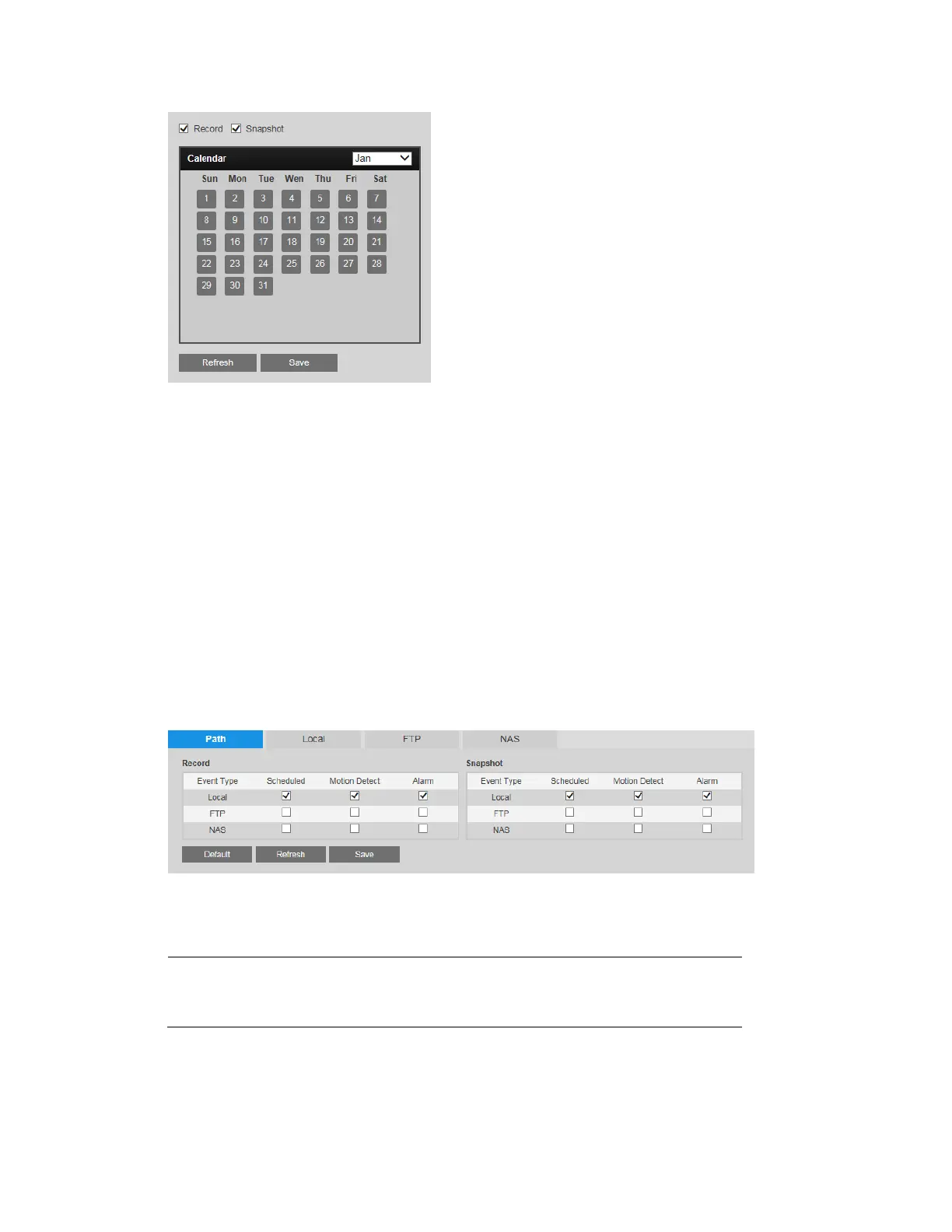
On the selected dates, the video recording/snapshot schedule will follow the holiday settings
you configured in the Record Schedule and Snapshot Schedule tabs. Click Save to apply the
settings.
Configuring Storage Settings
You can configure recording storage settings on the Setup Storage Setup Destination
page.
Configuring Storage Paths
On the Path tab, you can specify where you want recorded video and snapshots—whether
scheduled or triggered by a motion detection or alarm event—to be saved: to a local SD card,
to an FTP server, or to an NAS disk.
Select which recorded events you want to save and where you want to save them, then click
Save to apply the settings.
Note
Only one network storage option can be used at a time. FTP and NAS
cannot be used together.



 To Next Page
 Loading...



