HUS-D4-E-Pro User Guide
20
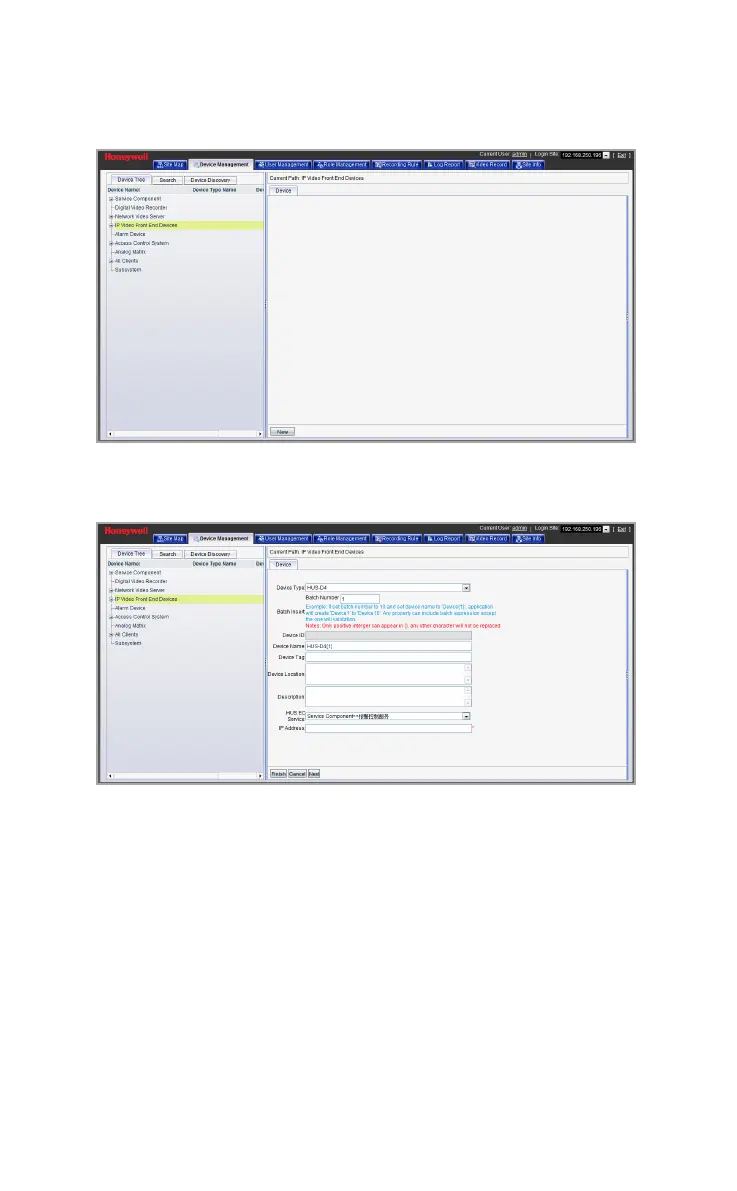
Figure 5-4 IP Video Front End Devices
Click New and the following window is displayed.
Figure 5-5 Add Device
Device type: Choose “HUS-D4” from the drop-down list
Device Name: Enter the device name
HUS EC Service: Select the EC Service
IP Address: Enter the IP address of the decoder
Port: Input the port number of the decoder (by default: 5700)
Username: Enter the user name
Password: Enter the password
Monitor1 (2, 3, 4): Choose Megapixel (Max 1 Channel), DI (Max 4
Channels) or CIF (Max 16 Channels)



 To Next Page