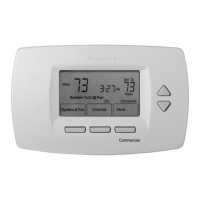
EasyManua.ls Logo

Honeywell TB3 Series - User Manual

Honeywell TB3 Series
24 pages
Print Icon
To Next Page IconTo Next Page
Loading...
INSTALLATION INSTRUCTIONS
® U.S. Registered Trademark
Copyright © 2022 Honeywell Inc. • All Rights Reserved
31-00576-01
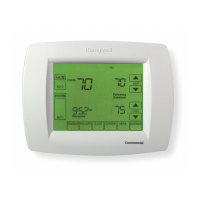
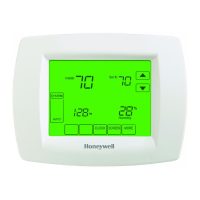
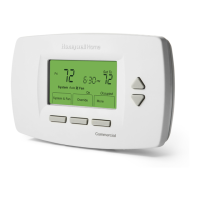
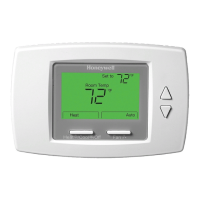
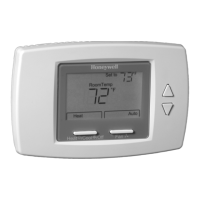
TB3 Series Communicating Thermostats
FOR 2-PIPE AND 4-PIPE FAN COIL UNITS
APPLICATION
TB3 Series Fan Coil Thermostats are used in individual
rooms or zones in buildings. It is designed for two and
four-pipe fan coil units. TB3 Series has one universal
input as an external sensor (NTC10k) or open/close
contact input, three relay fan outputs, two relay valve
outputs (TB3140), two analog valve outputs (TB3240),
and one EIA-485 (BACnet MS/TP). It controls the fan
coil unit depending on the internal room sensor or
external return sensor temperature.
The following NTC10K sensor and flange are
recommended: VF10-3B65NW and LF-MF
CAUTION
CAUTION
The authorized service must do assembly,
maintenance, diagnostic, and repair. The device's
power supply is 220 VAC (TB3140) and 24V
AC/DC (TB3240), and it has no internal fuse.
External protection with max C10A (TB3140)
and C5A (TB3240) circuit breakers are required
in all cases.
Disconnect the power supply before separating
the front plate.
INSTALLATION
Read these instructions carefully. Failure to follow
them could damage the product or cause a
hazardous condition.
Check the ratings in the instructions and the product
to ensure the product is suitable for your application.
The Installer must be a trained, experienced service
technician.
After installation is complete, check out product
operation as provided in these instructions.
All wiring must agree with applicable codes,
ordinances, and regulations, as specified in
installation wiring diagrams.
TB3 Series thermostat safety rules are in accordance
with the latest technological developments designed
and manufactured. Adhere to the safety precautions
to avoid injury and property damage.
CAUTION
CAUTION
Power off the supply at circuit breaker or fuse
before installation to avoid fire, shock, or death!

Questions and Answers

  • S
    Sarah JacksonAug 7, 2025
    How to unlock the keypad on my Honeywell TB3?
    • G
      gatesbrianAug 7, 2025
      If the keypad on your Honeywell Thermostat is not responding, it might be because the key lock is activated. To remove the key lock, press and hold the specified keys together for a few seconds.
  • K
    Kristi GarciaAug 14, 2025
    What to do if my Honeywell Thermostat is not cooling?
    • L
      lindahayesAug 14, 2025
      If your Honeywell Thermostat isn't cooling, even with the correct set point, the cooling mode might not be active. Use the key to set the mode to Cooling. Ensure the set point is lower than the room temperature and that the Cooling Valve icon is displayed. After making these adjustments, wait to see if the system starts cooling.
  • C
    clayrebeccaAug 22, 2025
    Why is my Honeywell TB3 Thermostat not heating properly?
    • M
      Mary SmithAug 22, 2025
      If your Honeywell Thermostat is not heating despite the correct set point, the heating mode may not be activated. Use the key to set the mode to Heating. Check that the set point is higher than the room temperature and that the Heating Valve icon is displayed. Give the system some time to start heating after these adjustments.
  • S
    Sarah TaylorAug 30, 2025
    What to do if I forgot my Honeywell TB3 Thermostat password?
    • J
      Jose JohnsonAug 30, 2025
      To recover a forgotten password on your Honeywell Thermostat: Contact your system administrator to get the Parameter Menu Password from the communication line. Alternatively, press the specified keys, then press and hold other specified keys together to perform a factory reset.

Summary

Product Application

Installation Overview

Dimensions and Overview

Ordering Information

Product Specification

Network Security

Honeywell's statements on the security of TB3 Series thermostats and network protocols.

Mounting Guidelines

Wiring Connection Diagrams

User Interface Overview

Troubleshooting Guide

Password Setting Procedure

Configuration Menu

Universal Input Configuration

Fan and Valve Control Settings

Hysteresis and Dead Zone Settings

Restore Factory Settings

Alarms and Notifications

Onboard Sensor Alarm

Indicates malfunction of the device's internal temperature sensor.

External Sensor Alarm

Indicates malfunction of an externally connected temperature sensor.

Changeover Sensor Alarm

Indicates malfunction of the changeover sensor.

Firmware Update Procedure

Configuration Menu Parameters

End of Line (EOL) Resistor

TB3240 Series BACnet Registers

Binary Inputs and Values

Safe Battery Removal

WEEE Directive Compliance

Honeywell TB3 Series Specifications

General IconGeneral
Voltage24V
Stages1 Heat/1 Cool
ColorWhite
MountingWall
TypeDigital

Related product manuals