p.44
Quick Start Guide
Before using this product, please read the instructions carefully.
Please check that your console is updated to the latest system software.
How to Charge p.11 Please charge this product.
PlayStation®5 console
1. Select “Settings” “System”.
2. Select “System Software” “System Software Update and Setting”.
If a new update is available, “Update Available” will be displayed.
3. Select “Update System Software” to update the software.
PlayStation®4 console
1. Select “Settings” “System Software Update”.
2. If a new update is available, follow the steps as shown on the screen to update
the software.
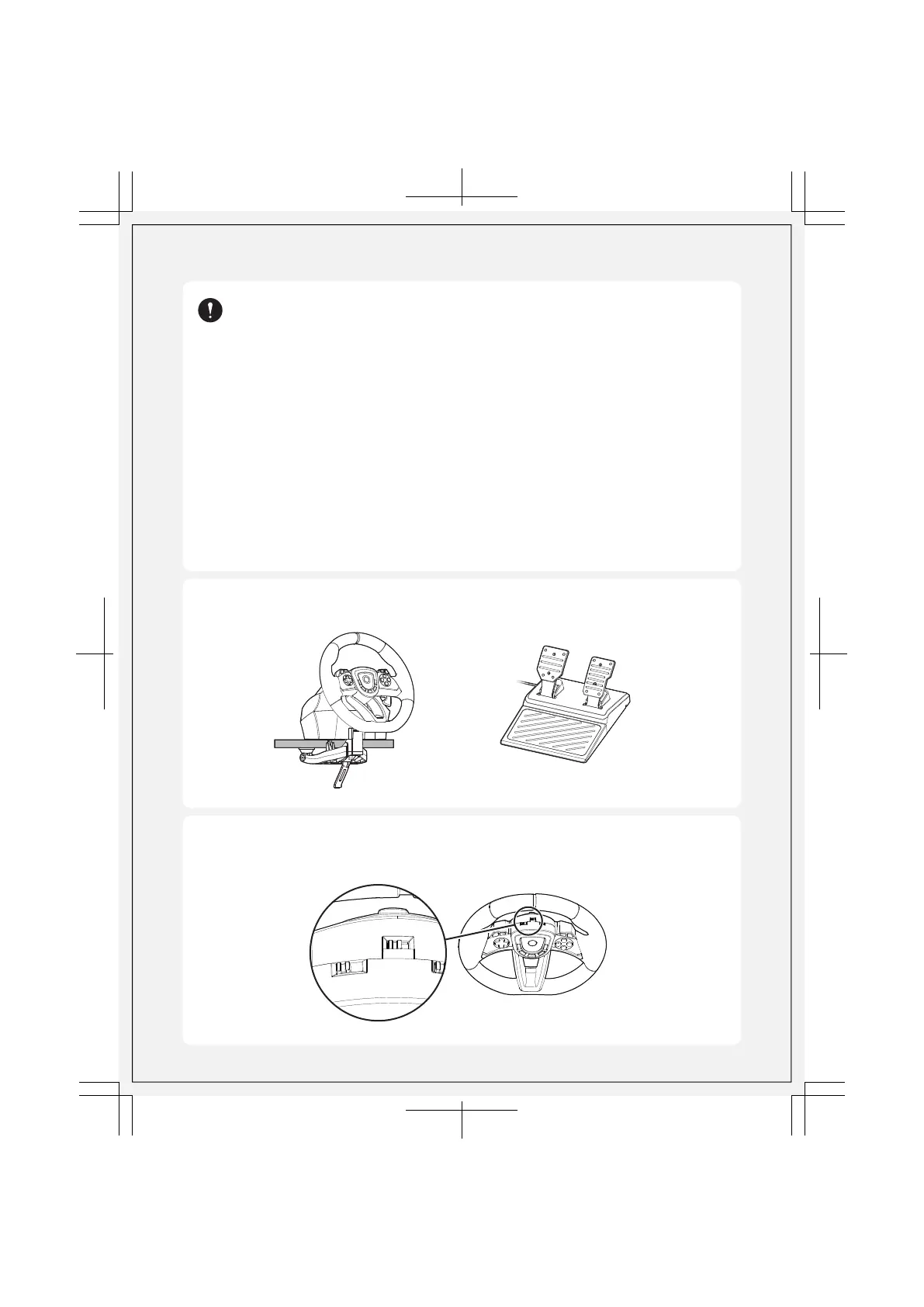
Steering Unit
p.7-8
Foot Pedal
p.9
Mount the steering unit onto a flat, stable surface.
1
2
Set the Hardware Toggle Switch and Mode Toggle Switch to the
appropriate setting.
Hardware and Mode Settings
p.9-10
N
O
R
M
A
L
S
T
E
E
R
I
N
G
P
S
5
P
S
4
P
C
D
P
L
S
R
S
2 / 20















 To Next Page