p.59
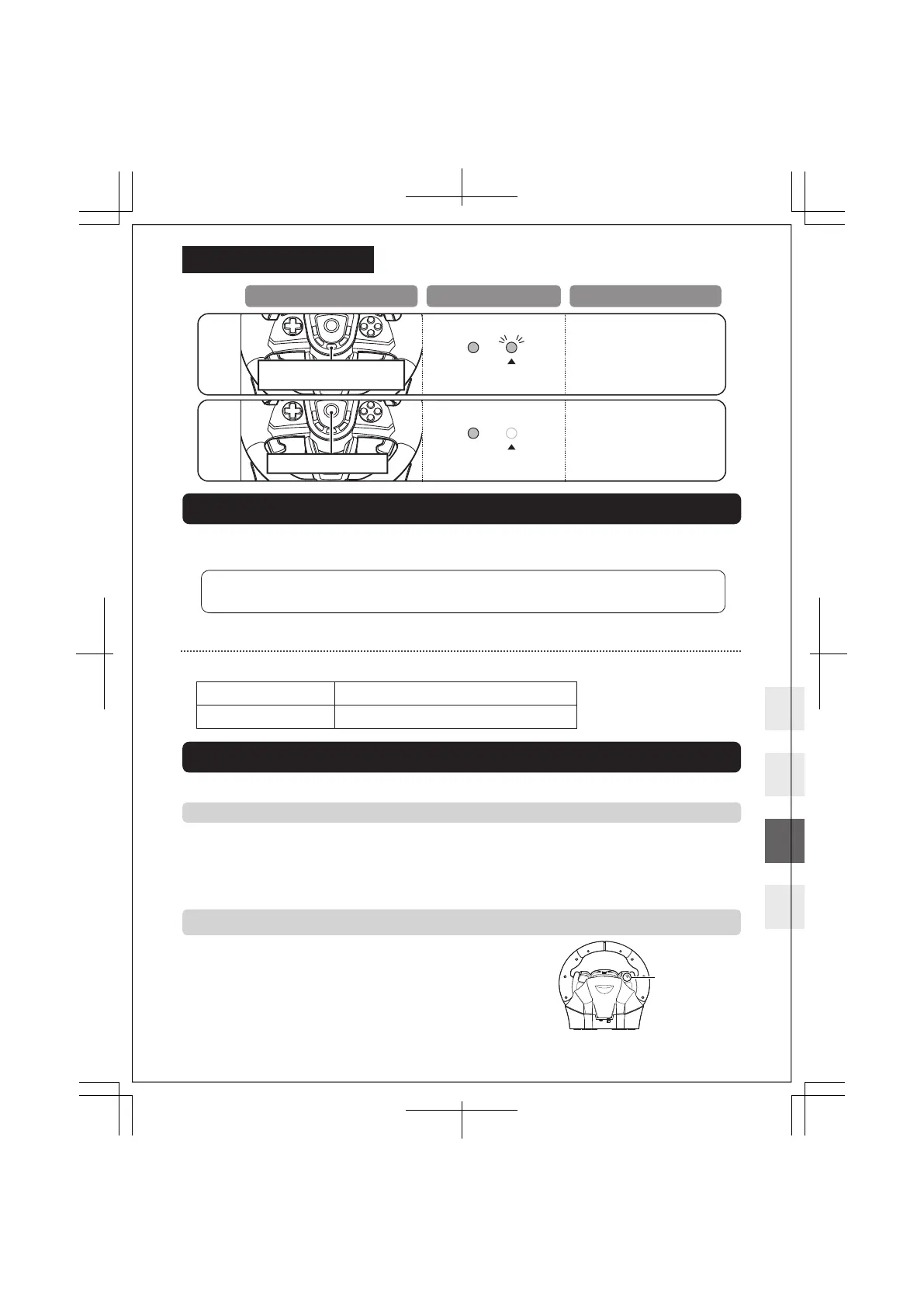
How to Reset All Buttons
Download App
Windows® 11 / 10
USB-A Port, Internet Connection
Supported OS
System Requirements
https://hori.co.uk/spf-022U/manual/
Customize the racing wheel sensitivity, dead zone and other settings using the
companion app. (PC required)
App [HORI Device Manager Vol.2]
Profile / Button Mapping / Steering Radius Adjustment / Deadzone Adjustment /
Steering Wheel Linearity / Pedal Linearity
Troubleshooting
p.9-11
② The product is unable to charge, does not respond even when fully charged, or responds on its own without
inputting
Please try the following steps.
1. Press the reset button on the back of the product with a thin stick or similar
object (e.g. Paper clip). Do not use a sharp needle. Doing so may scratch or
damage the product.
2. Reconnect
Reset button
If this product does not function as desired, please check the following:
① The product is not working
Please try the following methods.
If the product does not respond when the buttons are pressed, it may be due to the low battery. Please fully charge the
battery with the included USB cable and appropriate power source.
If the buttons do not work immediately after connecting the steering wheel, please press the p (PS) button and set the
steering wheel as the main controller for your profile
Hold ASSIGN button
for 3 seconds
Press
p (PS) button
LED (R) will turn o.
All button assignments will
reset to default settings.
Reset All button Settings
LED (R) will flash slowly.
Operation LED Status Setting Status
17 / 20














 To Next Page