Assigning a Switch
1. Power on the transmitter.
2. Power on the aircraft.
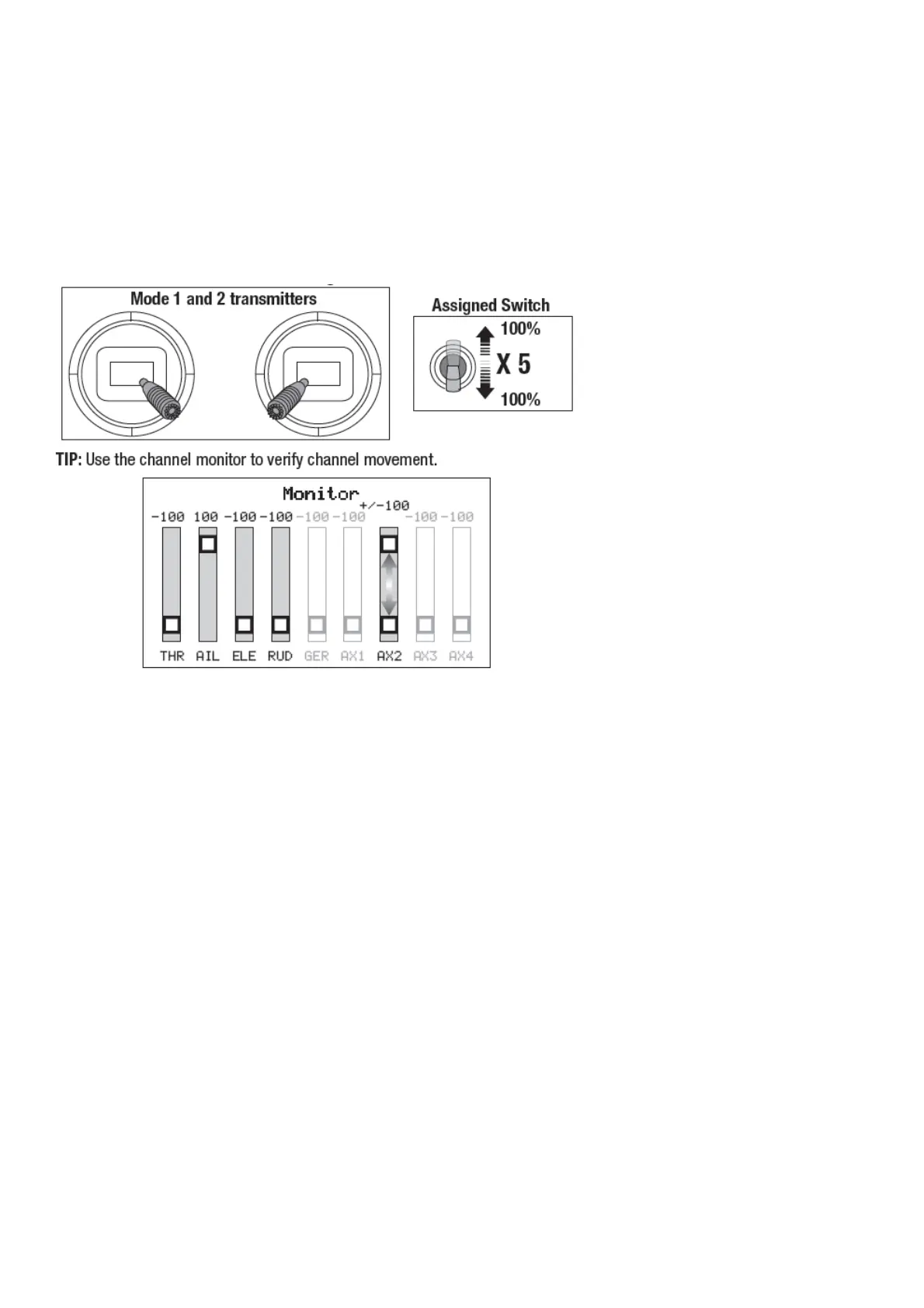
3. Hold both transmitter sticks to the inside bottom corners, and toggle the desired switch 5 times quickly (1 toggle
= full up and down).
4. The control surfaces of the aircraft will move, indicating the switch has been selected.
Repeat the process to assign a different switch or to deactivate the current switch.
SAFE Select Switch Assignment Stick Positions
This example of the channel monitor shows the stick positions for assigning a switch, the switch selection on Aux2,
and +/- 100% travel on the switch.
Integrated ESC Telemetry
This aircraft includes telemetry between the ESC and receiver, which can provide information like battery voltage and
temperature.
To View Telemetry:
1. Begin with the transmitter bound to the receiver
2. Power on the transmitter.
3. Power on the aircraft.
4. A signal bar appears in the top left corner of the screen when the telemetry information is being received.
5. Scroll past the servo monitor to view the technology screens.
For more information about compatible transmitters, firmware updates, and how to use the telemetry technology on
your transmitter, visit www.SpektrumRC.com.
Control Surface Centering
After assembly and transmitter setup, confirm that the control surfaces are centered. The model must be powered up
bound to the transmitter in AS3X mode, with the throttle left at zero. When enabled, SAFE mode is active at power
up.
AS3X mode is activated when the throttle is raised above 25% for the first time after being powered on. It is normal
for the control surfaces to respond to aircraft movement if the aircraft is in AS3X or SAFE modes.





 To Next Page