MAN0964-14-EN_XL4_XL4P_UM
N o v e m b e r 1 0 , 2 0 2 1 P a g e 63 | 194
7.3 Establishing Communications
The XL4/XL4 Prime OCS can communicate with Cscape using USB to USB, USB to serial
adapters, serial port communications via MJ1 Port, Ethernet (with an Ethernet adapter board),
onboard Ethernet Port, CAN (CsCAN), or modems.
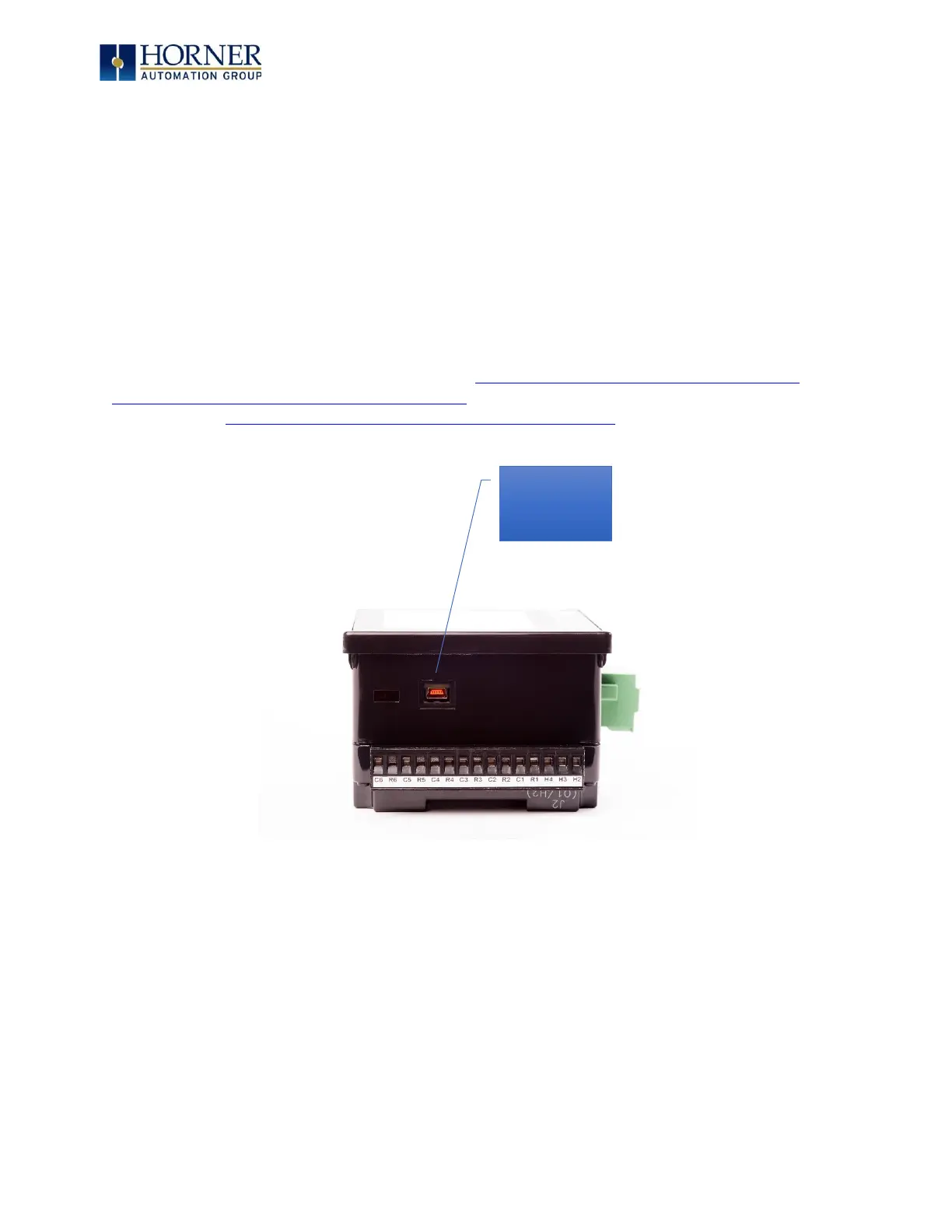
If a direct USB connection is to be used, connect the Mini-USB port on the OCS (only on
select models) to an open USB
port on the PC. (A cable for doing this is included in the HE-
XCK and HE-CPK programming kits.) The OCS will install as
a device once plugged in. Drivers
for it are normally found automatically by the Windows operating system as long as
an
Internet connection is established.
Otherwise, the drivers may be loaded from the HE-XEC Ethernet Utility -> HTTP Web
Server Demo -> Communications Drivers section of the support files page on our
website at https://hornerautomation.com/support-files .
Figure 7.1 – USB Programming Connector


 To Next Page